Screen size and placement decide most of it. A large countertop model suits kitchens and shared desks where you watch recipes or video calls. A compact battery powered one fits a nightstand, bag, or car. The tradeoff is visibility against portability, and the smart assistant platform matters only after those two fit.
Screen Size Sets the Room It Belongs In
A smart display is first a screen, second a speaker, and third an assistant. The panel size determines how far away you can stand and still read a recipe, see a video call, or glance at a slideshow. A 10 inch or larger panel works across a kitchen counter or a desk. A 5 to 7 inch panel suits a nightstand or a shelf where you sit close.
Larger panels also carry larger speakers, so a kitchen model can fill a room with music or a podcast while you cook. Smaller panels sound thinner and work better for alarms, timers, and short voice replies. If the display will replace a kitchen radio or a desk speaker, screen size and audio quality rise together.
Think about the distance from your eyes to the screen in the room where it will live. If that distance is more than an arm's length most of the time, a small panel will feel like a phone propped up. If you mostly glance at it from a foot away, a large panel wastes counter space and may block cabinets or a window.
Power and Mount Split Home Models from Travel Models
Most smart displays plug into a wall and stay where you put them. A few run on a rechargeable battery and move from room to room or into a car. The plug in models trade portability for a larger screen, louder speaker, and no charging routine. The battery models trade screen size and sound for the ability to sit on a porch table, a hotel desk, or a dashboard mount.
Wall mounting matters in kitchens and hallways. Check whether the model includes a wall mount or needs a separate bracket, and whether the power cord routes cleanly down the wall. A countertop stand with an adjustable tilt helps in a kitchen where you look down at the screen, while a fixed stand suits an eye level shelf.
For a road trip or a work from home bag, look for a battery powered model with a car mount or a folding stand. These displays often rely on a phone hotspot for data, so check whether the assistant works offline for timers and alarms. A countertop display left in a hot car or a dusty workshop will age faster than one kept in a climate controlled room.
The Assistant Platform Locks Your Ecosystem
Smart displays run one of a few voice assistant platforms, and that choice decides which calendars, music services, smart home devices, and video calling apps work without workarounds. If your home already has smart bulbs, a doorbell, or a thermostat from one ecosystem, a display from the same platform will control them with fewer steps.
This is also where photo sharing and family routines matter. One platform may pull albums from a photo service you already use, while another may require uploading to its own app. Check which accounts the display can access before assuming your existing photo library will appear on the screen.
The assistant is not the place to start. Screen size and placement filter out most models first. Once you know the room and the distance, compare the two or three displays that fit that spot on assistant features, not the other way around.
| Design type | Screen size | Placement | Assistant range | Suits |
|---|---|---|---|---|
| Large countertop | 10 in and up | Kitchen, family desk | Far field, multiple rooms | Recipes, video calls, shared home |
| Mid size with stand | 7 to 10 in | Desk, shelf, side table | One room, moderate noise | Work from home, bedside hub |
| Compact bedside | 5 to 7 in | Nightstand, narrow shelf | Close range only | Alarms, photo frame, small desk |
| Battery travel | 5 to 8 in | Bag, car, porch | Depends on hotspot and noise | Road trips, small businesses, pop up desk |
Voice Range Changes a Small Room into a Dead Zone
A display's microphone array and speaker volume decide how well it hears you from across a room, over a running faucet, or with a TV in the background. Larger displays usually carry more microphones and louder speakers, so they handle a kitchen with a range hood or a living room with conversation. Smaller displays work best within a few feet.
If you plan to place the display in an open plan kitchen or a workshop, compare the listed microphone range and speaker wattage. A model rated for far field voice pickup will respond more reliably when you call out a timer from the stove. A model built for a bedside table may miss commands from across the room.
Placement also matters. A display shoved into a corner or behind a coffee maker hears worse than one on an open counter. A wall mounted display above eye level may pick up more room noise. Check the listing for the intended placement and whether the microphones can be muted for privacy.
Photo Sharing and Video Calls Need the Right Accounts
Many buyers want a smart display as a photo frame that also talks. The catch is that photo sharing depends on the cloud service the platform supports. One display may show albums from a popular photo app, while another requires you to upload images to the assistant's own app. Check which services the display can pull from before you buy.
Video calling works the same way. A display tied to one calling app will not easily call someone who uses a different one, unless both sides install the same app. For older family members, a display that auto answers from approved contacts may matter more than photo quality.
If photo sharing is the main use, compare a smart display against a dedicated digital photo frame. A dedicated frame often has a higher resolution screen and simpler remote album management, but no voice assistant or video calling. For a desk or a kitchen where you also want timers and music, a smart display covers both jobs.
You can read more about that choice in other digital photo frame guides on the site.
Smart Home Control Rises and Falls on One Hub Decision
A smart display can act as a hub for lights, locks, thermostats, and cameras, but only if those devices share a compatible protocol. Some displays include a built in smart home radio, while others control devices only through the cloud. A built in hub often responds faster and keeps working if the internet drops, at least for local commands.
For a small business, a countertop display can show a shared calendar, play background music, and answer simple voice queries for customers. But it may not integrate with point of sale or inventory software. Check whether the assistant platform supports the business tools you already use before expecting it to replace a front desk tablet.
If your home already runs on a particular smart home standard, such as a common mesh protocol, pick a display that speaks it natively. Otherwise you may need an extra bridge or hub. The listing should state which protocols are built in and which require a separate device.
The Listing Details That Separate Real Features from Marketing
Screen resolution is the first number to check. A low resolution panel looks fine for a clock but soft for photos and video calls. Compare the resolution to the screen size: a larger panel needs more pixels to stay sharp. Brightness matters near a window, and a matte screen reduces glare in a sunny kitchen.
Speaker quality is often described with words like rich or room filling, which mean little. Instead, compare the number of drivers, the wattage, and whether the listing mentions a passive radiator or a subwoofer. A display with a single small speaker will sound thin next to one with a dedicated woofer.
Camera and privacy features matter for video calls. A physical shutter or a mic mute switch is more reassuring than a software setting. Check whether the camera has a wide angle lens for group calls and whether it can follow you around the room, which helps in a kitchen but can feel intrusive on a desk.
Finally, check the power supply and mounting options. A proprietary power brick is hard to replace, while a standard USB-C port gives you more flexibility. If you plan to wall mount, confirm the bracket is included or sold separately and whether the cable can be hidden.
Long Term Costs Hide in Subscriptions and Replacements
A smart display has no ink or filters, but it can still carry ongoing costs. Some photo sharing and cloud storage features require a subscription after a trial. Some video calling services charge for longer calls or more participants. Check which features stay free and which expire.
The device itself ages through software updates. A platform that stops supporting an older display may lose features or become slower. Check how long the manufacturer typically supports its displays, though no listing will promise a specific number of years.
If the display runs on a battery, that battery will lose capacity over time. A sealed battery is harder to replace than one with a serviceable cover. For a countertop model, the main long term cost is usually a replacement power adapter or a wall mount bracket, both of which are cheaper to buy with the display than later.
Who Should Skip a Smart Display Altogether
A smart display is a compromise. It is not as good a speaker as a dedicated smart speaker of the same price, not as sharp a photo frame as a dedicated frame, and not as portable as a tablet. If you already have a tablet on a stand, a smart display adds little except an always on screen and a better far field microphone.
People who care about privacy may not want a camera and microphone in the kitchen or bedroom. A smart speaker without a screen covers voice control with less visual intrusion. A tablet with a privacy cover can be turned off and put away, while a smart display is designed to stay on.
For a road trip, a smartphone mounted on the dash already does navigation, music, and calls. A battery powered smart display adds a second screen to charge and a second device to manage. Unless you need a shared screen for the whole car, skip the display and use the phone.
If you want a desk screen for work, a dedicated monitor offers far more screen area and sharper text for the same or less money. A smart display is a secondary screen for glances and reminders, not a primary work display. See the gaming monitor guide for what a real desk monitor offers.
For a small business front counter, a tablet or a simple digital sign may do the job without locking you into an assistant platform. A smart display works best when you already use that platform at home or in the office.
Smart Display Questions Buyers Ask Before They Pick a Size
Is a smart display worth it for a kitchen?
Yes, if you cook often and want hands free timers, recipes, and music. A large countertop model with a far field microphone works across the room and over a range hood. If you already prop a tablet on the counter, a smart display adds a better speaker and an always on screen, but not much else.
Which smart display is best for a bedside table?
A compact model with a 5 to 7 inch screen, a dimmable clock face, and a physical mic mute switch. It should not light up the room at night or wake you with bright notifications. Check that the display can lower its brightness automatically and that the alarm works without a phone nearby.
Can a smart display show my photo albums?
Yes, but only from the cloud services that platform supports. Some displays pull from popular photo apps, while others require uploading to the assistant's own app. Check the supported services before buying. A dedicated digital photo frame may offer higher resolution and simpler remote album management if photos are your main use.
How do I compare two smart displays with the same screen size?
Compare the microphone range, speaker drivers and wattage, camera resolution and privacy shutter, and which smart home protocols are built in. Then check which assistant platform matches your calendars, music, and smart home devices. Screen size equal, the ecosystem and audio quality decide the winner.
Does a smart display work without Wi-Fi?
Most features need Wi-Fi, including voice commands, music, and video calls. Some displays can still show the time, run alarms, and control local smart home devices through a built in hub when the internet drops. A battery powered travel model without a hotspot is mostly a clock and a photo frame.
Which Smart Display Fits Your Counter, Bag, or Bedside
A home cook who wants recipes, timers, and music across a kitchen should pick a large countertop display from the same assistant platform as their phone and smart home. It will handle far field voice and loud playback better than anything smaller. A frequent traveler or a small business owner who moves between a car, a pop up desk, and a hotel room should instead pick a battery powered model with a folding stand, accepting the smaller screen and thinner sound for the freedom to move it.
Real smart display listings, so you can check the points in this guide against actual products. These are affiliate links: as an Amazon Associate we earn from qualifying purchases, at no extra cost to you.
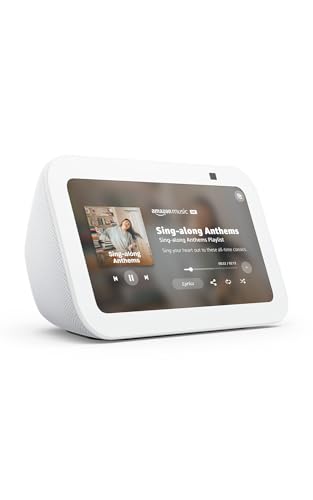 AMAZON Amazon Echo Show 5 (newest model), Smart display, Designed for…
View on Amazon ↗
 ANBOXIT ANBOXIT Solid Wood Stand for Echo Show 15/21, Rustic Display…
View on Amazon ↗
 VST VST Smart Under Cabinet Lighting Dimmable, App/Voice & Remote Control…
View on Amazon ↗
Listing names and images come from Amazon and are rechecked against the live listings; last checked Nov 8, 2026. No prices shown; the current price is on the listing.
Scope and limits. This guide covers the smart display category as a whole, from large countertop models to battery powered travel units, and explains the design and feature differences between types. It does not evaluate individual models, and no product documents, reviews, or in person tests were used; check any screen dimension or feature claim on the listing before buying.