The AEEZO 10.1 Inch frame suits buyers who want a large internal memory and auto rotate for photos and videos. The Euphro 10.1" frame fits those who prefer the Uhale app and multiple customization settings. The Obafepd Uhale frame works for gift givers who want a simple setup for elders, with 16GB storage. The Skylight 10" frame is for buyers who want cloud based storage and no SD card handling. The MaxAngel Frameo 10.1" frame suits those who want calendar sync and up to 6 photo collage mode. The BIGASUO Frameo 10.1" frame fits users who want official Frameo app support and a one year warranty. The main tradeoff is between app ecosystem, storage type, and extra smart features.
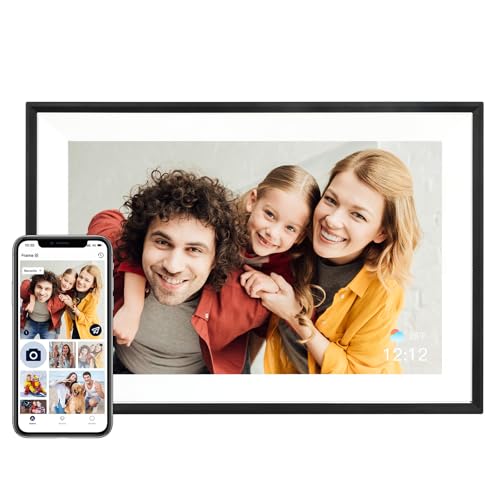
AEEZO 10.1 Inch Frame
Best for: Buyers who want 32GB storage and auto rotate for mixed orientation photos.
- Built in 32GB memory stores over 50,000 photos.
- Gravity sensor auto adjusts photo orientation based on frame placement.
- AiMOR app lets you grant upload access to family and friends.
Keep in mind: Photos and videos cannot play directly from SD cards; import to the frame first.
Check price on Amazon ↗
Euphro 10.1" Frame
Best for: Buyers who want customization options like image scaling and transition changes.
- 32GB storage holds around 60,000 photos of 300KB each.
- Uhale app sharing works on Android and iOS.
- Adjust display order, image scaling, hiding images, and transitions.
Keep in mind: Listing does not state auto rotate, so check orientation handling before buying.
Check price on Amazon ↗
Obafepd Uhale Frame
Best for: Gift givers who want a simple setup for elderly family members.
- Built in 16GB memory stores over 30,000 photos.
- Uhale app is CCPA and GDPR compliant, TRUSTe certified.
- Touch screen navigation is intuitive for elderly users.
Keep in mind: Video sharing is limited to 30 seconds through the app.
Check price on Amazon ↗
Skylight 10" Frame
Best for: Buyers who want cloud based storage and no SD card handling.
- Cloud based storage eliminates the need for SD cards.
- Gift Mode preloads and personalizes the frame without unboxing.
- Offline mode shows existing photos without a Wi-Fi connection.
Keep in mind: Wi-Fi is required to receive or upload new photos.
Check price on Amazon ↗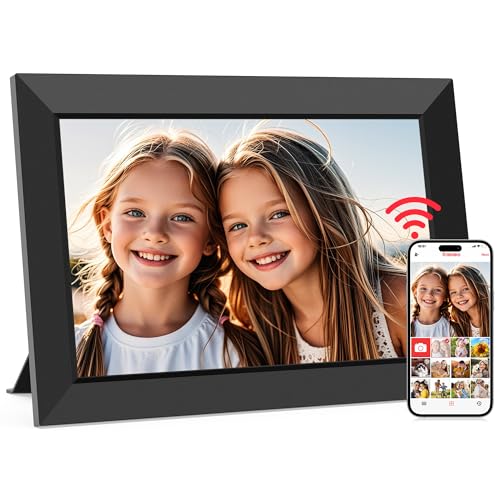
MaxAngel Frameo 10.1" Frame
Best for: Buyers who want calendar sync and a 6 photo collage display mode.
- Built in 32GB memory holds over 80,000 photos.
- Sync your calendar and organize memories into custom albums.
- Display up to 6 photos in collage mode.
Keep in mind: Use microSD cards up to 32GB formatted FAT32 for best compatibility.
Check price on Amazon ↗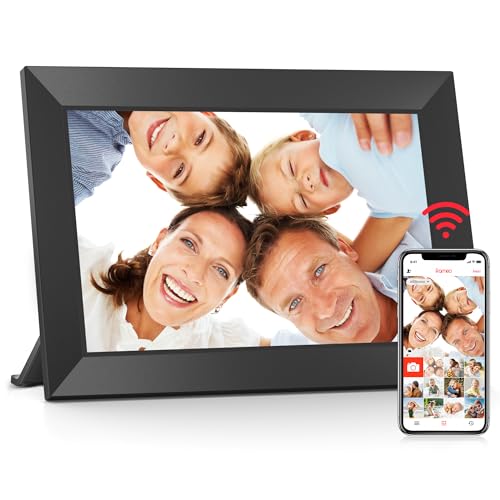
BIGASUO Frameo 10.1" Frame
Best for: Buyers who want officially licensed Frameo app support and a one year warranty.
- Officially licensed by Frameo App Company.
- Built in 32GB memory with Micro SD card expansion.
- Customize with auto rotate, slideshow, photo hiding, and album creation.
Keep in mind: Listing does not state maximum SD card size, so confirm before buying.
Check price on Amazon ↗Product names and images come from the Amazon listings and are rechecked against them (last checked Nov 8, 2026). The highlights restate each listing's own bullet points as published on Nov 8, 2026. Prices change often, so we do not show them. These are affiliate links: as an Amazon Associate we earn from qualifying purchases, at no extra cost to you.
Screen Size and Resolution
All six frames in this shortlist use a 10.1 inch touchscreen, except the Skylight which is listed as a 10 inch display. The AEEZO, Euphro, MaxAngel, and BIGASUO frames state a 1280x800 HD IPS panel. The Obafepd frame says its IPS touchscreen has wide viewing angles and accurate colors, but does not give a specific resolution.
For buyers who want the sharpest stated resolution, the AEEZO, Euphro, MaxAngel, and BIGASUO all list 1280x800. The Skylight listing also mentions Full HD display and 1280x800 resolution in its features. The Obafepd frame leaves resolution unstated, so buyers who prioritize exact pixel count may want to confirm before purchase.
All frames are touchscreen models. The Obafepd listing emphasizes intuitive touch navigation for elderly users. The Skylight listing mentions a color touch screen display. None of the listings mention a matte or antiglare coating, so screen finish is not compared here.
Built in Storage and Expansion
Storage capacity is a key difference among these frames. The AEEZO, Euphro, MaxAngel, and BIGASUO all list 32GB of built in memory. The Obafepd has 16GB built in. The Skylight uses cloud based storage and does not list internal storage capacity.
For buyers who want to keep photos locally, the 32GB models offer more room. The AEEZO says it stores over 50,000 photos. The Euphro says around 60,000 photos of 300KB each. The MaxAngel says over 80,000 photos. The Obafepd says over 30,000 photos with its 16GB.
SD card support varies. The AEEZO supports up to 64GB SD cards but requires importing photos to the frame first. The Euphro supports Micro SD card expansion but does not state a maximum size. The MaxAngel recommends microSD cards up to 32GB formatted FAT32. The BIGASUO supports Micro SD card expansion without stating a limit. The Skylight eliminates SD cards entirely with cloud storage.
Sharing App and Video Limits
The frame's app determines how family and friends send photos. The AEEZO uses the AiMOR app. The Euphro and Obafepd use the Uhale app. The MaxAngel and BIGASUO use the Frameo app. The Skylight uses a unique email address for sharing instead of a dedicated app.
Video length limits differ. The Obafepd allows videos up to 30 seconds through the Uhale app. The MaxAngel allows videos up to 15 seconds through the Frameo app, but notes you can bypass that limit by uploading longer videos directly via microSD card. The AEEZO, Euphro, Skylight, and BIGASUO listings do not state a video length limit.
Privacy and access controls matter for shared family frames. The Obafepd says its Uhale app is CCPA and GDPR compliant and TRUSTe certified. The MaxAngel says its Frameo app only receives content from invited family and friends. The AEEZO says you can grant photo upload access to family members and friends. The Euphro says multiple users can connect and share. The Skylight says you select a unique email address for the frame.
Smart Features and Customization
Each frame offers a different mix of extra features. The AEEZO has a built in light sensor that adjusts screen brightness automatically, plus time and weather displays. The Euphro offers display order, image scaling, hiding images, and changing transitions. The MaxAngel can sync a calendar, organize albums, display up to 6 photos in collage mode, and send themed greetings.
Auto rotate is stated for some frames. The AEEZO has a gravity sensor for auto rotate. The Obafepd has a direction sensor for automatic rotation between landscape and portrait. The MaxAngel and BIGASUO list auto rotate as a customization option. The Euphro and Skylight listings do not mention auto rotate.
Gift specific features appear in some listings. The Skylight has Gift Mode to preload and personalize the frame without unboxing. The MaxAngel mentions a gift ready box. The BIGASUO says its warranty applies even when given as a gift. The Obafepd emphasizes simple setup for elderly users. The AEEZO says it is designed for all ages.
Comparison of Stated Specs
The table below compares the attributes that each listing actually states. Where a listing does not state a value, the cell says Not listed.
Use this table to quickly see which frames share the same resolution, storage, and app, and where they differ on features like auto rotate and video limits.
| Frame | Screen | Resolution | Built in storage | App | Video limit | Auto rotate |
|---|---|---|---|---|---|---|
| AEEZO | 10.1" IPS touch | 1280x800 | 32GB | AiMOR | Not listed | Yes |
| Euphro | 10.1" IPS touch | 1280x800 | 32GB | Uhale | Not listed | Not listed |
| Obafepd | 10.1" IPS touch | Not listed | 16GB | Uhale | 30 seconds | Yes |
| Skylight | 10" touch | 1280x800 | Cloud based | Email address | Not listed | Not listed |
| MaxAngel | 10.1" IPS touch | 1280x800 | 32GB | Frameo | 15 seconds | Yes |
| BIGASUO | 10.1" IPS touch | 1280x800 | 32GB | Frameo | Not listed | Yes |
Who Should Skip These Frames
Buyers who want a frame larger than 10 inches should look at a different design entirely. Every listing here states a 10.1 inch or 10 inch screen, so none of these picks suit a wall sized display or a frame meant to be seen across a large room.
Buyers who need a frame that works without any Wi-Fi connection should also skip these picks. The Skylight has an offline mode for viewing existing photos, but new photos require Wi-Fi. The other frames depend on Wi-Fi for sharing through their apps, and none of them list a cellular connection option.
Buyers who want a frame with a battery for portable use should look elsewhere. None of these listings mention battery power; they are designed to be plugged in. If you need a frame for a location without a power outlet, confirm power requirements on the listing before buying.
What to Confirm Before Buying
Confirm the app compatibility with the phones your family uses. The listings state Android and iOS for the Uhale and Frameo apps; the AEEZO AiMOR app and Skylight email method do not state platform requirements. Check that the sender's phone can install the required app before purchase.
Check the video length limit if you plan to share video clips. The Obafepd states 30 seconds, the MaxAngel states 15 seconds through the app, and the others do not state a limit. If you want longer videos, confirm the limit directly or use the SD card workaround where noted.
Verify the SD card requirements if you plan to expand storage. The AEEZO supports up to 64GB but requires importing to the frame. The MaxAngel recommends up to 32GB formatted FAT32. The Euphro and BIGASUO do not state a maximum size. The Skylight uses cloud storage only.
Read the full listing for warranty and support terms if the frame is a gift. The AEEZO, Skylight, MaxAngel, and BIGASUO listings mention one year warranty or support. The Euphro and Obafepd listings do not state warranty details in the features provided.
Questions About Choosing a WiFi Photo Frame
Which app is easiest for grandparents who are not tech savvy?
The Obafepd listing says its touch screen navigation is intuitive for elderly users and the Uhale app handles sharing automatically. The MaxAngel and BIGASUO use the Frameo app, which is widely used and designed for simple sharing. The AEEZO says it is designed for all ages. The best choice depends on whether your family already uses one of these apps.
Do any of these frames work without Wi-Fi?
The Skylight has an offline mode that shows existing photos without Wi-Fi, but you need Wi-Fi to receive new photos. The other frames rely on Wi-Fi for sharing through their apps. None of them list a cellular connection, so a Wi-Fi network is needed for updates.
Can I send videos to these frames?
Yes, all of them support videos, but the length limit varies. The Obafepd allows up to 30 seconds, the MaxAngel allows 15 seconds through the app but longer videos can be loaded via microSD card, and the others do not state a limit. Check the specific listing for video format support.
Which Frame Fits Your Gifting Situation
A buyer sending a frame to parents who want a simple, secure way to receive family photos should pick the Obafepd Uhale Frame. It has a 16GB storage, a 30 second video limit, and an app designed for elderly users. A buyer who wants the most flexible local storage and calendar features should pick the MaxAngel Frameo 10.1" Frame. It holds over 80,000 photos, syncs a calendar, and displays up to 6 photos in collage mode. For a cloud first approach without SD cards, the Skylight 10" Frame is the alternative.
What this guide is. The picks were chosen by comparing the stated screen size, storage, app, and smart features across six real digital photo frame listings. The spread includes 16GB, 32GB, and cloud based storage, plus three different sharing apps, so the shortlist covers different gifting needs. Units were not handled, and the comparison relies only on what each listing states.