Start with where the frame will sit, because display size and aspect ratio decide how photos look from across the room. Then check how photos get onto it: app, email, memory card, or cloud. The main tradeoff is simple setup and a clean look versus more control and privacy.
Where the Frame Will Sit
Measure the viewing distance before you shop. A 7 inch frame works on a desk or kitchen counter where you stand within arm's reach. A 10 inch or larger frame suits a living room shelf or mantel where people sit several feet away. Bigger is not always better: a large frame on a small desk dominates the space, while a small frame on a far wall becomes a glowing rectangle nobody can see.
Aspect ratio matters more than most listings admit. Many phones shoot in 4:3 or 16:9, but frames come in those ratios and also 1:1 and 3:2. If the frame's ratio does not match your photos, the software either crops them or shows black bars. Check your photo library before deciding. If most images are phone snapshots, a 4:3 or 16:9 frame shows them without awkward cuts.
Glare and viewing angle change how the frame looks in a bright room. A matte screen reduces reflections but can soften colors. A glossy screen looks punchy in dim light but turns into a mirror near a window. Check the frame's brightness rating in nits: 250 to 350 nits is fine for indoor use, while anything below 200 nits looks washed out in daylight.
How Photos Get Onto the Frame
The transfer method determines whether you update the frame weekly or give up after the first month. Cloud connected frames sync from a shared album, so family members can add photos remotely without touching the frame. This works well for grandparents who want new pictures without managing a device. The tradeoff is that photos live on a company's server, which raises privacy questions.
App only frames pair with a phone and let you send photos over Wi-Fi or Bluetooth. You keep control of what appears, but every update requires opening the app. This suits someone who already curates a photo library and wants to avoid an online account.
Card and USB frames have no connectivity at all. You load photos onto a memory card or stick, plug it in, and the frame plays them. This is the most private option and works in places with no Wi-Fi, but it is also the most manual. For a gift to someone who will not manage files, this is often the wrong choice.
Email frames give the frame its own address, so anyone with that address can send photos. That sounds convenient until the frame becomes a spam target or fills with low quality images. Some frames let you whitelist senders, which helps, but the inbox still needs occasional cleaning.
What Actually Matters in a Listing
Resolution is the first number to check, but it only matters up to a point. For a 7 inch frame, 1024x600 pixels is sharp enough at arm's length. For a 10 inch frame, 1280x800 or higher avoids visible pixelation. Anything above 1080p on a small screen is marketing, not a visible upgrade.
Internal storage tells you how many photos the frame holds without a memory card or cloud. A frame with 4 GB stores hundreds of compressed images, while 16 GB holds thousands. If the frame syncs from the cloud, local storage matters less because it can pull photos on demand. If it works offline, storage limits how many photos you can load at once.
Look for a motion sensor or scheduling option. A frame that stays on all night wastes power and can disturb sleep in a bedroom. A motion sensor turns the screen on when someone enters the room and off when they leave. Scheduling lets you set hours, like off at 10 p.m. and on at 7 a.m. Both features are common on mid range frames and rare on the cheapest ones.
| Frame style | Photo source | Setup effort | Privacy | Suits |
|---|---|---|---|---|
| Cloud | Shared album | Low | Lower | Remote family sharing |
| App only | Phone app | Medium | Higher | Personal curation |
| Card/USB | Memory card | High | Highest | Offline or private use |
| Email address | Medium | Medium | Many senders, with whitelist |
Compare these four styles side by side, and the decision usually comes down to who sends photos and how often. A cloud frame is the default for gifting to someone far away. A card frame is the default for a digital sign in a shop or a frame that never connects to the internet.
Mistakes Buyers Make
The biggest mistake is buying a frame with a ratio that does not match the photos. If the frame crops aggressively, every picture loses heads and edges. Check the ratio in the listing and compare it to your camera roll before ordering.
Another mistake is ignoring the power setup. Some frames run on a wall adapter with a long cord, which is fine for a shelf but ugly on a wall. A few run on battery, but battery life is usually a few hours, not days. If you want a wall mounted frame, plan for a nearby outlet or hidden cable channel.
Buyers also overestimate how often they will update a manual frame. Loading photos onto a card, renaming files, and reinserting the card gets old quickly. If you are not the type to do that monthly, pay extra for a frame that receives photos over Wi-Fi.
Finally, do not assume every frame can show video. Many frames play only still images. If you want short video clips, check the listing for video codec support, not just 'video playback'.
Care and Long Term Costs
Most frames have no consumables, but cloud frames often require a subscription for full features. The basic plan may limit storage or photo resolution, while the paid plan unlocks more. Check what happens when the subscription lapses: some frames stop syncing, others keep showing the last loaded photos.
Screen burn in is rare on modern LCD frames, but static images for months can leave a faint ghost. Set the frame to rotate photos or use a screensaver mode if the listing offers one.
Firmware updates matter more on connected frames. A cloud frame that stops receiving updates may lose access to the photo service. Check how long the manufacturer has supported previous models, though this is hard to verify without reading community forums.
The only regular cost beyond subscription is electricity. A typical frame draws 5 to 10 watts, so leaving it on all day costs a few dollars a year. A motion sensor or schedule cuts that further and prolongs the backlight.
Who Should Skip a Digital Frame
If you want a large, bright display for artwork or a kitchen calendar, a small tablet in a stand often does the same job with more flexibility. A tablet runs any photo app, shows video, and can double as a smart home controller. The downside is that a tablet is not designed to run 24/7, so the battery may swell over years of constant charging.
If you only want to show a few photos that never change, a high quality printed frame costs less and never needs power. This is the right alternative for a hallway or a formal room where a glowing screen feels out of place.
If the frame is for a business lobby or waiting room, look for a commercial digital signage display instead. Those panels are built for 24/7 operation, have brighter screens for bright rooms, and support remote content management. A consumer photo frame will dim or fail within a year or two under those conditions.
If the main goal is video calls or a second screen for work, a digital photo frame is the wrong tool. Even frames that claim video support usually play only short clips, not live feeds or long movies.
Desk Setups and Work From Home Use
On a desk, a frame competes with monitors, lamps, and speakers for space. A 7 inch frame with a slim bezel fits between a laptop and a monitor stand. A 10 inch frame usually needs its own spot on a riser or shelf. Check the stand design: some frames only sit in landscape, while others rotate for portrait. Portrait mode suits phone photos and takes less desk width.
If the desk is in a video call background, choose a frame with a matte screen. Glossy screens reflect overhead lights and windows, which looks bad on camera. A matte screen also reduces eye strain when the frame is in your peripheral vision all day.
For a work from home setup, a frame that pulls from a shared family album can be a nice break from work screens. But avoid a frame with bright, animated transitions. Slow crossfades are less distracting than slides, spins, or Ken Burns zoom effects. Check the listing for transition options before buying.
Small Businesses and Lobby Displays
A small business often uses a digital frame as a menu board, price list, or portfolio display. For this, resolution and brightness matter more than for home use. A frame near a storefront window needs at least 400 nits to stay visible in daylight. A frame on a counter under spotlights also benefits from a matte finish.
Content management is the hidden challenge. A cafe that changes its menu daily needs a frame that updates quickly from a phone or computer. A cloud frame with a shared album works if the staff can all add photos. A card frame means someone has to physically swap the card every time.
Reliability matters more in a business. A consumer frame that freezes or reboots once a week is a nuisance at home but a problem in front of customers. Look for a frame with a simple, proven interface and no unnecessary animations. Also check the warranty period: business use often voids the standard warranty, so read the terms.
Digital Photo Frame Questions, Answered Straight
Can a digital photo frame play video?
Some frames play short video clips with audio, but many support only still images. Check the listing for video codec support like H.264 or MP4. Even frames that play video often limit clip length to a few minutes and may mute audio by default. Do not expect a digital photo frame to replace a tablet or TV for video.
Does a digital photo frame need Wi-Fi?
No. Wi-Fi is only needed for cloud syncing, app transfers, or email delivery. A frame with a memory card or USB slot works completely offline. That makes it a good choice for a cabin, a secure office, or anyone who does not want photos on a company server. The tradeoff is that every update requires manual file transfer.
Which aspect ratio is best for a digital photo frame?
Match the frame's aspect ratio to your photos. Phones often shoot in 4:3 or 16:9, so a frame in one of those ratios shows images without cropping. If you mostly have square photos from a dedicated camera or social media, a 1:1 frame avoids black bars. If the ratios mismatch, the frame either crops the image or adds black bars.
How long do digital photo frames last?
The backlight is the main wear component and typically lasts 30,000 to 50,000 hours, which is over a decade at 8 hours per day. The electronics may fail sooner, especially in a frame that runs 24/7 in a hot room. Cloud frames also depend on the manufacturer's server staying online, so a discontinued model may lose features.
Is a digital photo frame worth it for grandparents?
For grandparents who live far away, a cloud connected frame is often worth it because family members can send photos remotely. Choose a frame with simple on device controls and a reliable app. Avoid frames that require the grandparent to manage files or accounts. A motion sensor is also helpful so the frame turns on when they enter the room.
Which Digital Photo Frame to Get First
For a frame that lives on a desk or kitchen counter and gets photos from a phone, choose a 7 to 10 inch cloud or app connected frame with a 4:3 or 16:9 ratio and a matte screen. That fits most phone photos without cropping and updates without a memory card. If the frame will hang on a wall in a hallway with no nearby outlet, pick a battery powered model with a card slot instead, since wall mounting and power cords rarely mix well.
Real digital photo frame listings, so you can check the points in this guide against actual products. These are affiliate links: as an Amazon Associate we earn from qualifying purchases, at no extra cost to you.
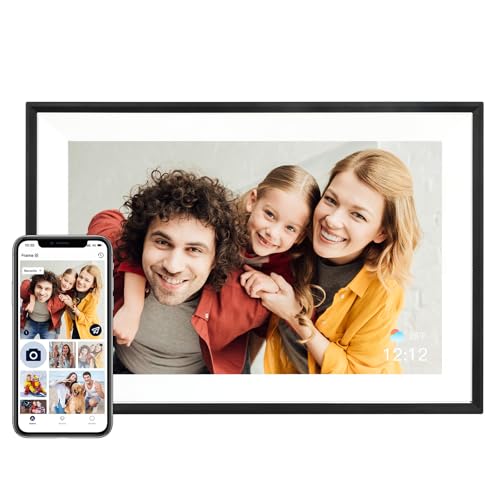 AEEZO AEEZO Digital Picture Frame, 10.1 Inch Digital Photo Frame with…
View on Amazon ↗
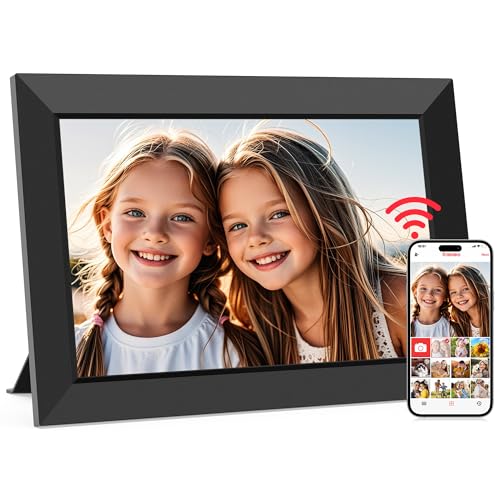 MAXANGEL Frameo 10.1" WiFi Digital Picture Frame, Electronic Photo Frames -…
View on Amazon ↗
 SKYLIGHT Skylight Digital Picture Frame, Load from Phone Capability, 10" Black…
View on Amazon ↗
Listing names and images come from Amazon and are rechecked against the live listings; last checked Nov 8, 2026. No prices shown; the current price is on the listing.
What this guide is. This guide covers the digital photo frame category as a whole, not any individual model. It is based on general knowledge of how these devices work, so check the listing for exact dimensions, resolution, and transfer methods before buying.