Focus on three things: how stock enters your system, where that data lives, and how often you can physically verify it. A shop that receives a few large shipments needs different software than one selling continuously across channels. The central tradeoff is setup effort versus long term accuracy, and overbuying features is the fastest way to waste money.
Start With Your Busiest Stock Path
A stock path is the route an item takes from arrival to sale. For a small shop, that might be one delivery a week, entered by hand, then sold from a single shelf. For an online seller, it could be dozens of SKUs moving through a warehouse and three marketplaces every day.
Draw that path before you compare software. Note where a human touches stock: receiving, picking, packing, counting, adjusting. Each touch is a place where a system either helps or adds friction.
If most of your stock moves in bulk and rarely changes, a lightweight tool is enough. If stock splits across locations or channels constantly, you need a system that tracks transfers and reservations without manual work.
Sync Scope Is the Real Feature List
Most inventory software marketing starts with dashboards and AI forecasts. Those matter less than what the system connects to. A tool that syncs with your point of sale, accounting package, and shipping labels saves more time than a fancy report.
Check which integrations are native, not just possible through a third party bridge. Native sync means stock levels update across channels without export files or copy paste. If your shop uses a niche POS, ask the seller for a live demo of that specific connection.
One system of record is the goal. If you keep inventory in an app but orders in a separate platform, you will eventually count the same item twice or miss a sale. The software should be the single place where quantity, location, and status live.
Count Habit Beats Count Features
- Cycle counting: count a few SKUs each week, not everything at once.
- Blind counts: hide expected quantity so counters record what they see.
- Location audits: verify one shelf or bin, then reconcile.
- Mobile entry: use a phone scanner to avoid paper lists.
A system that makes cycle counting easy will keep your numbers honest. Look for a mobile app that works offline, because stockrooms often have poor signal. The physical act of counting is the only real check against inventory drift.
Frequency matters more than method. A weekly count of your top 20 SKUs prevents more errors than a yearly full audit, and it takes minutes if the software supports it.
Where the Main Design Types Split
Inventory tools fall into a few broad camps, and the table below shows how they differ on the things that cause daily pain.
| Type | Setup effort | Error risk | Sync range | Best fit |
|---|---|---|---|---|
| Spreadsheet | Minimal | High | None | Under 50 SKUs, one location |
| Basic inventory app | Low | Medium | Limited | Single channel, manual entry |
| Channel native tools | Medium | Medium | Within platform | Sellers on one marketplace |
| Dedicated inventory system | High | Low | Broad | Multi channel, multi location |
A spreadsheet is not really inventory software, but many small shops start there. It works until you need history, roles, or automatic reorder points. At that moment, the error risk climbs fast.
Dedicated systems cost more in setup time and monthly fees, but they remove the most manual steps. Choose them only when your stock path has more than one channel or location.
Features That Matter Versus Features That Shine
Real features change how you work: barcode scanning, lot tracking, reorder points, multi location, and purchase orders. Marketing features often sound impressive but add little for a small shop: predictive analytics, social media integrations, and gamified dashboards.
Barcode scanning is the single biggest accuracy upgrade. If your products already have barcodes, a phone camera scanner removes most typing errors. If they do not, printing labels is a one time task that pays off within weeks.
Reorder points are simple but powerful. Set a minimum quantity for each SKU, and the software tells you when to order. This prevents both stockouts and overbuying, two silent margin killers.
What People Get Wrong Before They Buy
The most common mistake is choosing software for the shop you want, not the shop you have. A tool built for a fulfillment center will bury a single store under setup tasks and permissions.
Another error is ignoring the people who will use it. If only one person enters stock, a complex multi user system is waste. If three people share the task, role based access matters more than any dashboard.
Finally, buyers often skip the data migration question. Ask how existing stock counts, product names, and locations get into the new system. A painful import kills adoption faster than any missing feature.
Read a Listing Like a Checklist
Before you shortlist anything, open the software's feature page and run through these checks. They separate a tool that fits from one that merely demos well.
- Does the pricing page show transaction limits or user caps?
- Is the mobile app a full client or a read only viewer?
- Which integrations are listed by name, not as categories?
- Can you export all data in a standard format like CSV?
- Does the support page show response times for your plan?
Ask the seller two questions: how does the system handle a negative stock count, and what happens when two users edit the same item at once. Their answers reveal whether the tool is built for real inventory or just for demos.
Also check the last update date on the changelog. Inventory software that has not shipped a fix in months may be abandoned, and abandoned inventory tools lose integrations without warning.
When a Different Tool Fits Better
Some shops should skip dedicated inventory software entirely. If you sell services, not physical goods, a project management tool with a simple asset list is enough. Project management tools for solo work handle that without inventory overhead.
If your stock is small and your accounting already tracks purchases, adding inventory software creates duplicate entry. Accounting software for small shops often has basic stock tracking built in, and using it avoids a second system.
If you sell only through one marketplace, the platform's own inventory tools may already cover your needs. Adding external software means syncing delays and extra fees without much gain.
Questions Small Shops Ask Before Picking Inventory Software
How many SKUs do I need before a spreadsheet stops working?
There is no universal number, but most shops feel the strain between 50 and 100 SKUs. At that point, tracking location, history, and reorder points in a sheet becomes error prone. If you spend more than an hour a week fixing stock counts, it is time to move.
Can inventory software work offline?
Some systems offer offline mobile apps that queue changes and sync when you reconnect. This matters in stockrooms with poor signal. Check the listing for offline mode and ask how conflicts are handled when two devices sync the same item.
What is the difference between perpetual and periodic inventory?
Perpetual systems update stock levels after every transaction, so you always see current quantities. Periodic systems only update when you do a physical count, usually weekly or monthly. For a busy shop, perpetual is worth the extra setup.
Is barcode scanning necessary for a small shop?
It is not required, but it removes the most common entry errors. If your products already have barcodes, a phone camera scanner is nearly free to use and pays for itself in saved correction time. If not, printing labels is a small one time project.
Which inventory software works with my point of sale?
Check the software's integration page for your POS by name. Native integrations sync automatically, while third party bridges like Zapier add delay and another failure point. Ask for a live demo of the POS connection before you commit.
The Right Inventory Software for a Small Shop
A shop that receives stock weekly, sells from one or two channels, and has a single person handling inventory should start with a basic inventory app that includes barcode scanning and offline mobile entry. It keeps setup light while removing the worst manual errors. If that same shop sells across three or more marketplaces with shared stock, a dedicated inventory system with native channel sync is the better pick, even though it costs more time and money to set up.
Real inventory software listings, so you can check the points in this guide against actual products. These are affiliate links: as an Amazon Associate we earn from qualifying purchases, at no extra cost to you.
 MR.BOSS POS Software iOS Point of Sale System Cash Register Inventory…
View on Amazon ↗
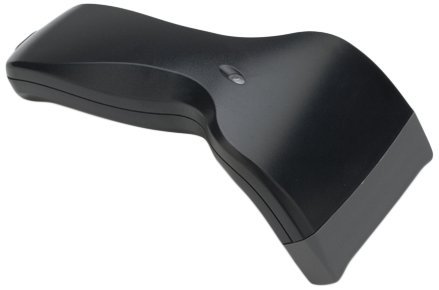 INTELLISCANNER IntelliScanner Pro 250 - USB Barcode Scanner w/Inventory & Media…
View on Amazon ↗
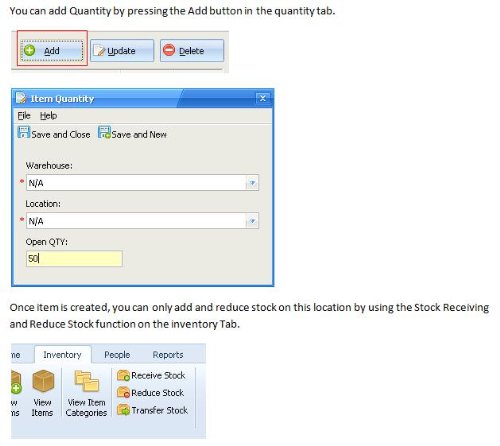 WORLD EDUCATIONAL Inventory Management Professional; Inventory Tracking and Management Professional Software
View on Amazon ↗
Listing names and images come from Amazon and are rechecked against the live listings; last checked Nov 8, 2026. No prices shown; the current price is on the listing.
About this guide. Use this guide as a checklist to hold against any listing you open, not as a verdict on a specific model. It is written from general knowledge of how inventory software works, without reading individual product documents or reviews, so verify any dimension or limit on the seller's page before you buy.