Two things decide a music production purchase: how much sound shaping you need built in, and how your existing gear connects. Solo producers with a few instruments can use a lean, fast editor. Anyone layering virtual instruments or recording bands should get a deeper sound library and routing. The tradeoff is simple: speed versus depth.
The Sound Library Is the Real Cost
Music production software is often sold as a single purchase, but the usable cost depends on what is inside. A bare editor means you will add sample packs, virtual instruments, and effects separately. That adds up faster than most buyers expect.
Compare the built in library before you compare the upgrade path. A program with a strong drum sampler, a few synths, and basic mixing effects can carry a full track. A program with only a handful of sounds fits quick demos, not a finished mix.
Check what the listing calls a sound versus an instrument. A sound is a preset or sample. An instrument is a playable engine that can create many sounds. A library with 10 instruments is usually more useful than one with 500 one shot samples.
Editing Speed Shapes Finished Tracks
The biggest difference between music software options is how fast you can turn an idea into a finished arrangement. Look at the main editing window: how many clicks it takes to cut a clip, move a region, or change a fade.
A layout with a single main window often feels faster than one with separate windows for arranging, mixing, and editing. Fewer window switches mean you keep the musical idea in your head longer.
Keyboard shortcuts matter more than the demo video suggests. A program that can be driven almost entirely from the keyboard lets you work without looking down. That is a small thing that becomes a daily habit.
The Hardware You Already Own Decides the Shortlist
Your existing audio interface, MIDI keyboard, and microphone should work without a fight. Check the software's supported device standards before you compare features. A program that does not see your interface will not record anything.
Most modern software uses the same driver standards, but some are stricter about buffer size or sample rate. If you record live instruments, check that the software can run at the buffer size your interface reports.
For electronic producers, MIDI routing is the quiet dealbreaker. A program that makes it easy to map a controller to a synth parameter will get used. One that buries MIDI mapping in a menu will collect dust.
The Workflow Trap: Buying for the Producer You Want to Be
Buyers often pick music software based on a famous producer's setup or a feature list from a forum. Then they open the program and find the workflow fights how they actually record.
Think about your real session: do you record one track at a time, or layer loops? Do you mix as you go, or record everything then mix? The software should match that sequence without forcing a new habit.
A common mistake is buying the deepest program because it has the most features. A deep program with a steep learning curve can stall a simple recording. A simpler program that matches your habits gets used every week.
You can compare your likely workflow against the listing's screenshots. Look for the transport controls, the track header, and the mixer. If those three match how you think about a session, the rest will follow.
How to Read a Music Software Listing
Start with the system requirements. Music software is demanding, and a listing that hides the minimum RAM or processor is hiding something. Check the supported operating system and whether the license covers one or two machines.
Then look for the audio engine details: supported sample rates, bit depth, and the plugin formats it loads. A program that only loads its own plugin format will lock you out of most third party instruments.
Ask the seller about the license transfer policy. Some music software licenses are tied to one account forever. If you may sell or upgrade later, that matters.
Finally, check what the listing does not mention. No mention of a manual, tutorial videos, or offline activation often means a rough start for a beginner.
Which Type Fits Your Space
A full digital audio workstation, or DAW, is the default choice for a home studio. It handles recording, editing, MIDI, and mixing in one window. That fits a producer who records vocals or instruments and wants a single tool.
A modular host is for producers who already own a collection of plugins and want a blank canvas. It has minimal built in sounds but flexible routing. That suits a sound designer or someone moving from another DAW with a plugin collection.
A standalone editor or beat workstation fits a narrower need. A standalone editor is fast for recording and basic edits, but weak for mixing. A beat workstation is fast for pattern based music, but weaker for live instrument recording.
If you only need to record a podcast or a voice memo, skip the full music software and use a simple audio recorder app. The extra tracks and routing will only slow you down.
| Format | Built in sounds | Editing depth | Mixing tools | Fits best |
|---|---|---|---|---|
| DAW | Strong | Deep | Full | Recording and mixing a full track |
| Modular host | Minimal | Deep | Full | Plugin heavy sound design |
| Standalone editor | Minimal | Basic | Limited | Quick capture and rough edits |
| Beat workstation | Strong | Pattern focused | Basic | Loop based electronic music |
The table shows the tradeoff clearly: a DAW balances sound and editing, while the other formats sacrifice one side. A modular host is an editor's dream but a beginner's wall. A beat workstation is fast for grooves but weak for a vocal take.
For a home studio with a microphone and a MIDI keyboard, a DAW is usually the safest starting point. You can add plugins later, but you cannot easily add a full mixing workflow to a standalone editor.
Long Term Costs Hide in the Upgrade Path
Music software rarely ends at the first purchase. Most programs have a paid upgrade every year or two, and some move to a subscription. Check the listing's version history and the seller's upgrade policy before you commit.
Third party plugins are the other hidden cost. A budget program with a thin sound library will push you toward paid sample packs and synthesizers. A mid range program with a strong library may cost more upfront but less over two years.
If the software uses a subscription, read the cancellation terms. Some subscriptions stop working the day you cancel, and your projects become unreadable. A one time license that keeps working offline is often cheaper for a hobbyist.
Skip the Music Software If You Only Need One Sound
A full music production program is overkill for some tasks. If you only need to record a single guitar part to send to a collaborator, a simple recorder app or a free field recorder does the job with less setup.
If you need to edit a podcast, a dedicated audio editor with a simple waveform view is faster than a full DAW. The music software's extra MIDI and routing features only add clutter.
If you are a visual artist adding a short sound effect to a video, a video editor with a basic audio track is enough. You do not need a 64 track mixer for a door slam.
For those cases, compare the related guides on photo and video editing software or video editing for phone shooters before you buy a music production suite.
The Mix Check That Prevents a Mistake
Before you buy, run a mental mix: three tracks of drums, one bass, one vocal, and a reverb send. Can the software do that without a manual? If the answer is not obvious from the screenshots, the workflow will fight you.
Also check the bounce or export options. A program that exports only a compressed file format limits where you can send your mix. Look for uncompressed WAV export, at minimum.
Finally, check the undo history. A program with a short undo list will punish a fast editing mistake. Look for a deep undo history or a versioned save system.
Questions a Home Studio Buyer Actually Asks
How much RAM do I need for music production software?
Most modern music software runs acceptably with 8 GB of RAM for small projects, but 16 GB is a safer floor if you use virtual instruments or many plugins. Check the listing's system requirements and add headroom for your operating system and background apps.
Can I use music production software without an audio interface?
Yes, you can use the computer's built in sound output, but recording a microphone or instrument will usually require an interface. The interface converts the analog signal to digital and gives you a low latency monitoring path. Without one, expect noticeable delay when recording.
Is a subscription or a one time license better for music software?
A one time license is cheaper over several years and keeps working if you stop updating. A subscription gives you the latest version and often includes a sound library. For a hobbyist who records occasionally, a one time license usually fits better.
What plugin formats should the software support?
The most common formats are VST, AU, and AAX. VST works on Windows and Mac, AU is Mac only, and AAX is for Pro Tools. A program that loads VST and AU will run most third party instruments and effects you find.
Does music production software work with a MIDI keyboard?
Most full music production programs recognize a MIDI keyboard over USB without extra drivers. Check that the software has a MIDI learn function, so you can map knobs and faders to parameters. Some basic editors have limited MIDI support.
The Pick That Fits a Small Home Studio
A home producer who records vocals or a guitar and wants to finish tracks should start with a full DAW that has a strong built in sound library and a single window workflow. That balances editing speed with enough instruments to avoid an immediate plugin shopping spree. If you already own a large plugin collection from another program, a modular host with deep routing is a better fit, even though its built in sounds are minimal. Your recording habit, not the feature list, should make the call.
Real music production listings, so you can check the points in this guide against actual products. These are affiliate links: as an Amazon Associate we earn from qualifying purchases, at no extra cost to you.
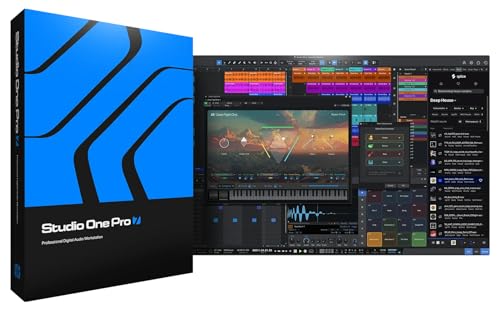 AUDIOSAVINGS PreSonus Studio One Pro 7 Music Production Software, Professional DAW…
View on Amazon ↗
 PRESONUS PreSonus Revelator io44 USB-C Audio Interface for music production and…
View on Amazon ↗
 NCH SOFTWARE MixPad Multitrack Recording Software for Sound Mixing and Music Production…
View on Amazon ↗
Listing names and images come from Amazon and are rechecked against the live listings; last checked Nov 8, 2026. No prices shown; the current price is on the listing.
What this guide is. Use this guide as a checklist to hold against any music production software listing, not as a verdict on a specific model. The advice comes from general knowledge of how these programs work, so verify any dimension or system requirement on the product page before you buy.