Start with your invoice volume and whether you track inventory. Freelancers and service contractors need simple invoicing and expense tracking. Shops with stock or ecommerce need inventory and sales tax tools. The main tradeoff is ease of use against depth of features. Choose the simplest tool that handles your tax filing.
First, Count Your Invoices and Expenses
The number of invoices you send each month changes the software you need. A freelance consultant sending five invoices can use a basic tool. A service contractor sending fifty needs recurring billing, payment reminders, and client portals.
Expense volume matters too. If you snap a few receipts a week, a mobile app with photo capture works. If you log hundreds of transactions, you need bank feed rules and bulk categorization.
Think about who touches the software. A sole trader works alone. A small shop may have a bookkeeper, a manager, and a part time admin. Multiple users push you toward cloud plans with role permissions.
The Cloud and Desktop Split
Cloud accounting software runs in a browser and stores data on the vendor's servers. You can work from a phone, a laptop, or a tablet. Updates arrive automatically. You pay a monthly or annual subscription.
Desktop accounting software installs on one computer. You buy it once or pay for upgrades. It works offline, which matters if your internet is unreliable. But sharing files with an accountant means exporting and sending copies.
Cloud tools are the default for new buyers. Desktop tools still suit businesses with poor connectivity or a strict preference for local data. Check whether your accountant works with one ecosystem before you commit.
| Setup style | Works offline | Multi device | Learning curve | Best for |
|---|---|---|---|---|
| Cloud freelancer | No | Yes | Low | Sole traders, consultants |
| Cloud small business | No | Yes | Medium | Shops, ecommerce |
| Desktop small business | Yes | No | Medium | Contractors, offline use |
| Industry specific | Varies | Varies | High | Niche trades, manufacturers |
Industry specific tools add modules for one trade: job costing for contractors, lot tracking for food sellers, or trust accounting for property managers. They cost more and take longer to learn, but they remove workarounds.
Inventory and Sales Tax Change Everything
If you hold stock, skip tools built only for invoicing. You need inventory tracking: stock counts, cost of goods sold, and purchase orders. Cloud small business tools handle this with add ons or mid tier plans. Industry specific tools go further with assemblies, serial numbers, and reorder points.
Sales tax is the second divider. Selling physical goods across state lines means nexus rules and filing in multiple states. Software that calculates tax by location and files returns for you saves hours each month. Service contractors in one state may only need a simple sales tax report.
Ecommerce sellers add another layer. You need integration with your store platform to sync orders, fees, and refunds. Check the listing for native integrations with your store, not just CSV imports.
Check the Listing Before You Pay
Read the plan limits, not the marketing page. Look for the number of invoices, clients, or transactions included per month. Some tools cap users at one even on paid plans. Others charge extra for bank feeds or payment processing.
Ask the seller three questions. Does the plan include payroll, or is that a separate module? Can you export your data as CSV or Excel if you leave? Does the price include updates and support, or are those add ons?
Check the trial terms. A 14 day trial with all features lets you test your real workflow. A limited trial with sample data tells you little. Look for a trial that imports your actual transactions.
Compare the mobile app to the web app. Some tools have a full mobile app; others only let you capture receipts. If you work from a phone often, test the app before subscribing.
Mistakes That Lock You In
One common mistake is picking software for a feature you will use once a year. If you only need a year end report, any tool can produce it. Do not pay for advanced inventory if you sell services.
Another is ignoring data portability. Some tools make it hard to export your general ledger or customer list. Before you pay, confirm you can download your data in a standard format. Switching later should not mean retyping everything.
Buyers also forget to check the accountant's workflow. If your tax preparer works in a specific tool, using a different one adds friction. Ask your accountant what they accept before you buy.
Finally, do not confuse accounting software with bookkeeping knowledge. The software records transactions, but you still need to categorize them correctly. Budget for a few hours of setup help if you are new to bookkeeping.
When a Spreadsheet or a Bookkeeper Is Smarter
Skip accounting software entirely if you send fewer than ten invoices a year and have no inventory. A spreadsheet with a simple template handles that volume. You avoid a monthly fee and a learning curve.
Hire a bookkeeper if your time is worth more than the software cost. A bookkeeper can work in any tool, but they will bill you for cleanup if your records are messy. Some small shops use a bookkeeper plus a basic cloud tool for day to day receipts.
An alternative is a payment processor with built in invoicing. If you only need to send invoices and collect payments, a processor like Stripe or PayPal covers that without full accounting. You lose expense tracking and tax reports, so weigh that gap.
For ecommerce sellers with complex inventory, consider an ERP or inventory management tool that syncs with accounting software. The accounting tool records the numbers; the ERP manages the stock. Check integration before buying both.
Long Term Costs Beyond the Subscription
The subscription price is not the only cost. Payment processing fees add 2 to 3 percent per transaction if you accept online payments. Payroll modules often cost extra per employee per month. Bank feed connections may be free on one plan and paid on another.
Training time is a real cost. A tool with a steep learning curve means hours of setup and mistakes. A simpler tool may lack a feature you need, forcing a manual workaround each month. Balance the monthly fee against your hourly rate.
Check whether the vendor charges for data migration or historical data. Some tools limit how many years of transactions you can import. If you need seven years of records for an audit, confirm the tool stores them.
Look at the upgrade path. A sole trader tool may not scale to employees or inventory. Switching tools later costs time and risks data loss. Pick a tool that can grow one step beyond your current needs.
Features That Matter and Features That Are Hype
Features that matter: bank feeds that sync automatically, recurring invoices, mileage tracking for contractors, sales tax calculation, and accountant access. These save real time each week.
Features that are often marketing: AI powered insights, blockchain ledgers, and gamified dashboards. They look impressive in demos but rarely change your daily workflow. Focus on the features you will touch every week.
Multi currency matters only if you invoice clients abroad. Project tracking matters only for service businesses with billable hours. Do not pay for modules you will not use.
The software department guide covers how to evaluate business tools more broadly, including security and support checks.
Accounting Software Questions Before You Subscribe
Which accounting software is best for a sole trader?
A cloud tool built for freelancers works best. Look for invoice creation, expense tracking with receipt photos, and a simple profit and loss report. Avoid tools with inventory or payroll modules you will not use. Check that the plan includes enough invoices per month and lets you export data for your tax return.
Can I use accounting software without an accountant?
Yes, many sole traders and small shops do their own bookkeeping. The software handles calculations, but you still need to categorize transactions correctly. If you are unsure about tax deductions or sales tax rules, hire an accountant for a one time setup or quarterly review.
How do I switch accounting software without losing data?
Export your data from the old tool as CSV or Excel before canceling. Import your chart of accounts, customer list, and open invoices into the new tool. Run a trial balance in both tools to verify the numbers match. Some vendors offer migration help, but check whether it costs extra.
Is desktop accounting software still worth buying?
It works if you need offline access or want to avoid a subscription. Desktop tools often have stronger job costing and inventory for specific trades. But they lack automatic updates and multi device access. If you work from one computer and have reliable backups, a desktop tool can still be a good fit.
What should I look for in accounting software for ecommerce?
Look for native integration with your store platform, such as Shopify or Amazon. The tool should sync orders, fees, refunds, and sales tax by location. Inventory tracking with cost of goods sold is essential. Check that the plan handles your monthly order volume without extra fees.
The Software Pick for Your Shop or Solo Work
A freelance consultant sending invoices and tracking expenses should start with a cloud tool built for freelancers. It has the lowest learning curve and covers invoicing, expense capture, and tax reports without inventory clutter. A small shop with stock and ecommerce sales needs a cloud small business tool with inventory and sales tax features, even though it costs more and takes longer to set up.
Real accounting software listings, so you can check the points in this guide against actual products. These are affiliate links: as an Amazon Associate we earn from qualifying purchases, at no extra cost to you.
 BESTGIFTS4LESS Daily Invoice Maker: Invoicing & Accounting Software for Small Business
View on Amazon ↗
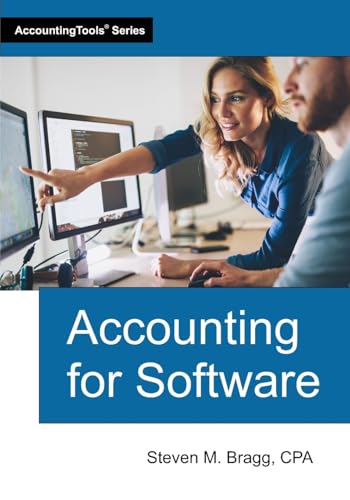 ACCOUNTINGTOOLS, INC. Accounting for Software
View on Amazon ↗
 Xero Accounting 2026 Manual: A Beginner’s Guide to Accurate Financial…
View on Amazon ↗
Listing names and images come from Amazon and are rechecked against the live listings; last checked Nov 8, 2026. No prices shown; the current price is on the listing.
Scope and limits. Use this guide as a checklist to hold against any accounting software listing. It covers the product type as a whole, not individual models, and is written from general category knowledge without reading product documents or reviews. Verify any plan limits or dimensions directly on the listing before you buy.