Look first at who will use it daily. A solo operator or a two person shop needs fast logging and simple contact views, while a growing team needs shared pipelines and permissions. Second, decide whether you mainly track people, deals, or service jobs. Third, be realistic about setup time: a tool you do not finish configuring is worse than a spreadsheet. The main tradeoff is power versus daily usability.
Who Actually Opens It Every Day
Start with the number of people who will log in, not the number of employees on paper. A sole trader can live in a simple contact list with notes and follow up dates. Add a second person and you need shared ownership, so two people do not call the same lead. Add a part time bookkeeper or a virtual assistant and you need permission levels, even basic ones.
Small shops often buy a CRM for a future sales team that never arrives. The result is an empty database and a cancelled subscription. Pick the tool for the team you have this quarter. A CRM that a solo owner opens every morning beats a team suite that nobody logs into.
If you already run accounting software that tracks invoices and customers, check whether a lightweight CRM can sit alongside it or whether you are duplicating work. Some small shops find their bookkeeping tool already covers half of what they wanted.
What You Track Changes the Whole Layout
A freelance consultant tracks people: who they met, what was discussed, when to follow up. A service contractor tracks jobs: quote sent, site visit done, work scheduled, invoice issued. An ecommerce business tracks orders and customer questions, often pulling data from a store platform instead of typing it by hand.
These are different records. A CRM built around a sales pipeline shows stages like lead, proposal, won. A job focused tool shows stages like booked, in progress, done. If you force a pipeline tool to track service jobs, you will spend hours renaming fields and fighting the layout.
Before comparing features, write down the three records you touch most: people, companies, deals, jobs, tickets, or orders. Then look for a CRM where those records appear without custom work.
Setup Time Is a Cost You Pay Up Front
The biggest mistake with CRM software is buying a platform that promises unlimited customization, then never finishing the setup. A tool with custom objects, automations, and advanced permissions can take days or weeks to configure. A solo operator rarely has that time.
Prebuilt templates for your industry cut this cost. A CRM aimed at real estate agents or home service contractors arrives with fields, stages, and email templates already in place. Compare the template library before you compare the customization engine.
Ask the seller how long a typical new account takes to make its first useful entry. If the answer is a multi day onboarding project, that is a real cost, not a one time inconvenience.
Design Types and Where They Fit
Contact managers do one thing well: store people, companies, notes, and follow up dates. They are fast to learn and cheap to run, which suits sole traders and small shops that mainly need a shared address book. They do not show a sales funnel.
Pipeline CRMs add deal stages and a visual board. They fit freelance consultants and small agencies that juggle proposals and want to see what is about to close. They feel heavier than a contact manager but lighter than a full suite.
All in one suites bundle CRM with marketing, support, or project tools. They help a growing team that wants one login for everything, but they cost more and demand more setup. Industry vertical tools flip the tradeoff: they are less flexible but arrive ready for one trade, such as field service or property management.
Match the type to your daily logins and your main record. A contact manager that gets used beats a suite that sits empty.
| Design type | Setup effort | Main record | Suits |
|---|---|---|---|
| Contact manager | Low | People and notes | Sole traders, tiny shops |
| Pipeline CRM | Medium | Deals and stages | Freelancers, small agencies |
| All in one suite | High | Multiple record types | Growing teams, multiple departments |
| Industry vertical | Low to medium | Prebuilt for one trade | Contractors, agents, clinics |
Features That Matter Versus Features That Shine
The features that change daily work are boring: contact deduplication, email sync, a mobile app, reminders, and a search that finds a person fast. If these feel rough, no dashboard will save the tool.
Marketing features like AI scoring, social listening, and advanced reporting matter only after the basics are solid. A solo operator rarely needs lead scoring. A team with a full pipeline might. Check the boring features first.
Integration with your email and calendar is the one feature that decides whether the CRM gets used. If it does not sync both ways, you will type everything twice and quit. Also check whether it connects to your store platform, booking tool, or accounting software without a third party connector.
Reading a Listing Before You Commit
The listing tells you what the vendor thinks is important, not what you will feel on a Tuesday morning. Look for screenshots of the contact screen, the mobile app, and the settings panel, not just the marketing dashboard.
Check the import path: can you bring a CSV of existing contacts without hiring help? Check the export path too, because leaving a CRM is part of the decision. Ask the seller what happens to your data if you cancel.
Ask about storage limits, email sending caps, and per user pricing. Those details hide in the fine print and change the real cost more than the headline plan.
When a CRM Is the Wrong Purchase
If you have fewer than twenty active contacts and no repeat follow up, a spreadsheet or a notes app does the job. A CRM adds structure you do not need yet.
If your main need is invoicing, estimates, and payment tracking, accounting software covers that better. A CRM that also invoices often does it worse than a dedicated bookkeeping tool. Link the two instead of replacing one.
If you will not commit to logging every call and email, skip the CRM. The tool only works when the data goes in. A half filled CRM is worse than a clean spreadsheet because it gives false confidence.
The Follow Up Habit Nobody Checks
A CRM does not follow up for you. It reminds you, but you still type the message or make the call. The real value appears when you set a next action date on every contact and actually do it.
Look for a tool that makes follow up dates visible without clicking into each record. A simple list of overdue follow ups changes behavior more than an AI assistant.
Before buying, ask yourself whether you will use reminders or ignore them. If you ignore calendar alerts now, a CRM will not fix that habit.
Small Shop CRM Questions, Answered
Is CRM software worth it for a sole trader?
Only if you have repeat contacts and follow ups you keep losing. A sole trader with a handful of clients can run on a notes app. Once you forget who you emailed last month or miss a renewal date, a lightweight contact manager earns its cost. Skip it if you mainly invoice one off jobs.
How do I compare CRM software for a small shop?
Compare the daily login path: how many clicks to add a note, find a contact, or see today's follow ups. Then compare what you track, whether people, deals, or jobs, and whether the tool has that record type built in. Check email sync and mobile access before any advanced feature.
Which CRM software suits a service contractor?
Look for an industry vertical tool built for field service or home services. It should have job stages, scheduling, and quote to invoice flow prebuilt. A generic sales pipeline CRM will force you to rename deal stages into job stages and still feel awkward.
Can I switch CRM software later without losing data?
Usually yes, but check the export path before you sign up. A CSV export of contacts and notes is the minimum. Some tools lock notes or attachments behind a paid export. Ask the seller what you can take with you if you cancel.
What should I ask the seller before buying CRM software?
Ask how long a typical new account takes to make its first useful entry, what happens to your data if you cancel, whether email sync works both ways, and what the per user cost is after any trial. The answers reveal more than the feature list.
The CRM Pick for a Small Shop
A solo consultant or a two person shop that mainly tracks people and follow ups should start with a lightweight contact manager with two way email sync and a solid mobile app. It gets used daily, which is the whole game. If you run a service business with quotes, site visits, and invoices, choose an industry vertical tool built for your trade instead: the prebuilt job stages save weeks of setup and make the daily log feel natural.
Real crm software listings, so you can check the points in this guide against actual products. These are affiliate links: as an Amazon Associate we earn from qualifying purchases, at no extra cost to you.
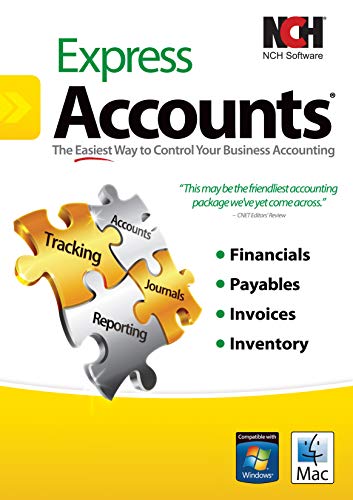 NCH SOFTWARE Express Accounts Accounting Software Free [PC Download]
View on Amazon ↗
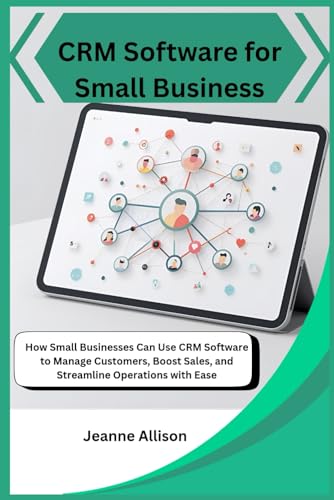 MAJOSTA CRM Software for Small Business: How Small Businesses Can Use…
View on Amazon ↗
 Lawn Care Systems & Software: Lawn Care Scheduling, Routing, Invoicing…
View on Amazon ↗
Listing names and images come from Amazon and are rechecked against the live listings; last checked Nov 8, 2026. No prices shown; the current price is on the listing.
About this guide. This guide is written from general knowledge of how CRM software works, not from testing individual products or reading customer reviews. We did not handle any specific units, and any dimensions, limits, or integration details should be verified on the seller's listing before purchase.