Two factors decide most wireless CarPlay adapters: how quickly they connect after you start the car, and how reliably they hold that connection on longer drives. Pick a fast booting unit with a dual band Wi-Fi radio if you use navigation and calls daily. The tradeoff is that faster, more stable adapters often cost more and may not support every car or iPhone.
The Connection Speed You Actually Feel
A wireless CarPlay adapter replaces the cable, but it cannot remove the handshake. When you start the car, the adapter boots, connects to your iPhone over Wi-Fi, and then asks the car's head unit to open CarPlay. That sequence often takes 10 to 30 seconds depending on the adapter and the car.
Short trips make this delay obvious. Rideshare drivers who start and stop the car many times a day feel every extra second. Long road trips forgive a slow boot because the connection stays up for hours once it is live.
Look for an adapter that advertises a fast boot time or a low power standby mode. Some units stay partly awake when the car is off, which can shorten the wait but may drain the battery on cars that leave the USB port powered. Check whether your car's USB port turns off with the ignition.
Audio Lag and the Calls That Test It
Wireless CarPlay adds a small delay between what happens on the phone and what you hear. Music tolerates this well because a half second of lag is hard to notice. Phone calls and voice navigation do not tolerate it.
If the audio lags behind the caller, you end up talking over each other. If Siri or Google Maps speaks after you have already passed the turn, the adapter is failing its main job. The cause is usually the compression and retransmission over the adapter's internal Wi-Fi link.
Adapters with a dual band Wi-Fi radio typically show less lag because the 5 GHz band has more room and less interference. That matters in cities and apartment garages where 2.4 GHz is crowded. Compare the listed audio codec support if the seller provides it, but the best check is a call test in your own car.
Your Car's USB Port Sets the Rules
Wireless CarPlay adapters plug into the same USB port that you would use for a cable. The car must already support wired CarPlay. If your car only has Android Auto or no smartphone mirroring, a wireless CarPlay adapter will not add CarPlay by itself.
The USB port's power and data behavior also matter. Some cars deliver enough current for the adapter but not for charging the phone at the same time. Others turn the port off when the car locks, which means the adapter boots cold every time you get in. A few cars keep the port powered for 10 to 30 minutes after shutdown, which can let the adapter reconnect faster if you run a quick errand.
Check the adapter's connector type. USB A fits most older cars. USB-C is common on newer vehicles and often carries more power. An adapter with a short cable or a swiveling connector helps if your port is in a tight spot.
IPhone Model and iOS Version
Wireless CarPlay requires an iPhone that supports it, generally an iPhone 5 or newer for the wired part, but wireless CarPlay needs a newer model and a recent iOS version. If your phone is several years old or you do not update iOS, the adapter may not pair.
Adapters often list a minimum iOS version. That number is a starting point, not a guarantee. Newer iOS releases occasionally change how CarPlay negotiates with accessories, so an adapter that works today may need a firmware update later.
If you use a work phone or a phone managed by an employer, check whether the adapter needs a companion app or a profile. Most do not, but some early units asked for a setup app. The fewer extra apps, the better.
Rideshare and Delivery Use
Rideshare drivers use CarPlay for navigation, ride requests, and calls, often all at once. A dropped connection means losing the map mid trip. A slow reconnect means fumbling with the phone while a passenger waits.
For this use, prioritize a stabiler, dual band adapter over a cheap one. Also look for a unit that remembers the last phone and auto reconnects without a button press. Some adapters let you pair only one phone, which is fine for a single driver but a problem if you share the car.
Heat is a real concern. Adapters sit in the cabin and can get warm during a full day of driving. A metal housing dissipates heat better than plastic, which may reduce random disconnects in summer traffic.
- Choose dual band Wi-Fi for fewer drops in busy city centers.
- Check that the adapter auto reconnects to the last paired phone.
- Pick a metal or ventilated housing if you drive all day in hot weather.
The Two Radio Designs
Most adapters use one of two internal designs. A single band adapter runs its Wi-Fi link on 2.4 GHz only. A dual band adapter can use 5 GHz as well. The 5 GHz band carries more data with less interference, which helps with audio sync and map smoothness.
Single band adapters often cost less and work in a wider range of cars, but they can stutter in areas with many Wi-Fi networks. Dual band adapters are the better choice for daily commuting and city driving, assuming your car's USB port provides enough power.
Some adapters also support Bluetooth for the initial pairing and then switch to Wi-Fi for the CarPlay screen. That is normal and not a flaw. The Bluetooth link is only for setup and phone calls in some designs, while Wi-Fi carries the visual interface.
| Design type | Connection speed | Interference risk | Best for |
|---|---|---|---|
| Dual band | Fast | Low | City driving, rideshare |
| Single band | Moderate | Higher | Rural or low traffic areas |
| USB A connector | Varies by radio | Varies by radio | Older cars and trucks |
| USB-C connector | Usually fast | Usually low | Newer vehicles |
Reading the Listing Without Falling for Hype
Manufacturers list many features, but a few matter more than others. Ignore claims like 'zero lag' or 'instant connection'. No wireless adapter is zero lag or instant. Instead, look for concrete details: dual band or single band, boot time, supported iPhone models, and firmware update method.
A listing that does not state the Wi-Fi band or the minimum iOS version is hiding something. Ask the seller before buying. Also check whether the adapter has a passthrough USB port for charging the phone while CarPlay is active. That is useful because the phone's battery drains faster during wireless use.
Firmware updates are important. A good adapter can be updated via a phone app or a USB drive. If the seller offers no update path, a future iOS release could break the adapter with no fix.
- Reject listings that promise zero lag or instant connection.
- Confirm the Wi-Fi band and minimum iOS version.
- Check for a passthrough charging port and firmware update method.
Who Should Skip Wireless CarPlay
If your drives are under 10 minutes and you already plug in the phone for charging, a wireless adapter adds little. The boot time may eat up a third of the trip before the map appears. A good quality USB cable is faster and costs less.
Drivers who need the phone to charge quickly should also think twice. Wireless CarPlay drains the battery faster, and the adapter's passthrough port may not deliver fast charging. If your car has a weak USB port, the phone may barely hold its charge during a long drive.
Anyone with an older head unit that drops CarPlay occasionally over a cable will see the same drops over wireless. The adapter cannot fix a flaky wired connection. Test your wired CarPlay for a week before spending on wireless.
Winter and Heat Change the Behavior
Cold weather affects electronics in two ways. A cold adapter boots slower, and a cold phone battery drains faster. If you park outside in freezing temperatures, expect the first connection of the day to take longer. Warming the cabin for a minute helps.
Hot weather is harder on the adapter. Dashboards and center consoles can reach 60 degrees Celsius in summer sun. Plastic housings trap heat, which can cause random reboots or a dropped connection. A metal housing or a location away from direct sun reduces this risk.
If you live in a place with extreme seasons, choose an adapter with a wide operating temperature range in the listing. If no range is given, assume it is built for moderate climates.
Wireless CarPlay Questions That Come Up Before Buying
How does a wireless CarPlay adapter work?
It plugs into the car's USB port where you would normally connect a cable. The adapter creates a Wi-Fi link to your iPhone and then tells the car's head unit that a wired CarPlay phone is connected. Your phone stays in your pocket, and the CarPlay screen appears on the car's display. The adapter needs the car to already support wired CarPlay.
What is the difference between single band and dual band CarPlay adapters?
A single band adapter uses only the 2.4 GHz Wi-Fi band, which is slower and more crowded. A dual band adapter can also use 5 GHz, which reduces lag and dropouts in busy areas. Dual band costs more but is the better choice for city driving, rideshare work, and daily commuting where many other Wi-Fi networks are present.
Is a wireless CarPlay adapter worth it for short trips?
Usually not. The adapter needs 10 to 30 seconds to boot and connect before the map appears. On a five minute drive, that delay is a large part of the trip. A cable connects almost instantly. The adapter pays off on drives over 20 minutes, especially if you get in and out of the car often and do not want to plug in each time.
Can I use a wireless CarPlay adapter in an older car?
Only if the car already has wired CarPlay. The adapter does not add CarPlay to a car that lacks it. Older cars with a USB A port and wired CarPlay from the factory can work, but the connection may be slower and less stable than in a newer car. Check that the car's USB port delivers enough power for the adapter.
Why does my wireless CarPlay audio lag during phone calls?
The lag comes from the adapter's internal Wi-Fi link and how it compresses audio. A dual band adapter on 5 GHz usually has less lag than a single band unit on 2.4 GHz. Interference from other Wi-Fi networks also adds delay. If calls are a big part of your driving, choose a dual band adapter and keep the phone close to the adapter.
Which Wireless CarPlay Adapter Fits Your Drive
A driver who does 30 minute commutes, takes calls, and uses navigation every day should pick a dual band adapter with a passthrough USB port and a metal housing. It costs more, but the stable connection and lower audio lag are worth it. If you only want wireless for occasional weekend trips and your car is older, a single band USB A adapter saves money and still delivers the core experience. Skip wireless entirely if your trips are under 10 minutes and fast charging matters more than cable freedom.
Real wireless carplay adapter listings, so you can check the points in this guide against actual products. These are affiliate links: as an Amazon Associate we earn from qualifying purchases, at no extra cost to you.
 DEERDANCE Wireless CarPlay Adapter, 2025 Upgraded Dual-Band (2.4GHz/5GHz) WiFi, Converts Wired…
View on Amazon ↗
 PLUVIXA Wireless Carplay Adapter, Suitable for Vehicles Equipped with Cabled CarPlay,…
View on Amazon ↗
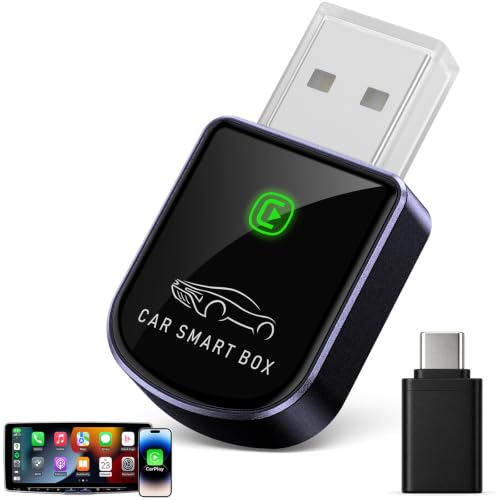 LUCKYISH Luckyish Wireless Carplay Adapter for iPhone Latest Upgrade, Tiny Bluetooth…
View on Amazon ↗
Listing names and images come from Amazon and are rechecked against the live listings; last checked Nov 8, 2026. No prices shown; the current price is on the listing.
About this guide. This guide is written from general knowledge of how wireless CarPlay adapters work as a category, not from examining any individual model's documentation or test results. It cannot tell you whether a specific listing will work with your exact car and iPhone, so check the vehicle compatibility and USB port details before you buy.