Start with sync and offline access, because a note you cannot reach is a note you will not use. Then check how the editor feels for your main device, especially iPad or phone. Finally, treat the free tier as a trial, not a home. A heavy team user needs different things than a solo student.
Sync Is the Floor, Not the Ceiling
Check what happens when you open the app with no signal. A note app that shows a blank screen on a plane or in a parking garage is a diary, not a tool. Look for explicit offline storage on every device you own, not just the phone.
Then check how conflicts are handled. If two devices edit the same note, a well designed app keeps both versions or merges them visibly. A poorly designed one silently keeps the last save and deletes the other. You may not notice the loss for weeks.
Remote teams feel this hardest. One person edits on a laptop while another adds to the same note on a tablet. The app's conflict policy determines whether that shared list stays whole or quietly loses a line. Ask the seller directly how conflicts resolve before you rely on it for a team.
The Editor Is the Product
Most note apps look similar in screenshots, but the typing feel differs sharply. On an iPad, check whether the app respects the full screen width, supports Scribble or palm rejection, and lets you resize the text without diving into menus. On a phone, check whether the keyboard covers the note or the app scrolls to keep your cursor visible.
College students should test how fast a note opens from the home screen. A class starts and the professor starts talking; an app that needs three taps and a sync spinner before you can type will lose the first minute of every lecture. Freelancers juggling client calls face the same test between meetings.
Busy parents often capture reminders with one hand. If the app requires a title before the body, or hides the new note button behind a menu, those quick thoughts get abandoned. Look for a new note action that is one tap from wherever you are.
Free Tiers Hide the Real Cost
The price tag is zero, but the limits are not. Check the upload cap, the number of devices allowed, and whether search works across all your notes or only recent ones. A free tier that caps you at two devices quietly pushes you to a subscription the moment you add a tablet.
Long term, the subscription is the consumable. A note app is not a one time purchase; it is a monthly or yearly bill for as long as you keep your notes. Compare what you get at each paid level before you migrate years of thoughts into a new system.
Money conscious buyers should treat export as a feature. If the app cannot export your notes as plain text or a common format, you are renting your memory, not owning it. Check the export options before you write anything important.
Notebooks, Databases, or a Blank Page
Three broad designs dominate. Quick notes apps open straight to a blank page and stay out of your way. Notebook apps add light structure: tags, links, folders. Database notes apps turn every note into a row with filters, views, and properties.
The tradeoff is speed versus depth. A quick notes app captures a thought in one second but struggles to organize a hundred of them. A database app can slice a project into views but makes you fill in fields before the note feels real. Notebook apps sit in the middle.
Choose by your dominant habit, not your aspirations. If you already keep lists and folders in a paper notebook, a notebook app matches. If you build spreadsheets for everything, a database design fits. If you just need to jot and move on, pick the blank page.
| Design | Capture speed | Organizing power | Best match |
|---|---|---|---|
| Quick notes | One tap to blank page | Low, search only | Busy parents, reminders |
| Notebook apps | Fast with light folders | Medium, tags and links | Students, freelancers |
| Database notes | Slower, fields first | High, views and filters | Project leads, researchers |
IPad users often overestimate how much structure they need. A database app on a tablet feels powerful in a demo but heavy when you are standing in a hallway typing a phone number. Test the capture path, not just the dashboard.
IPad and Apple Pencil Change the Rules
An iPad is not a laptop with a touchscreen. The best note apps for iPad treat the pencil as a first class input, with low latency, palm rejection, and handwriting search. If the app treats handwriting as an image you cannot search, it is a drawing app wearing a note app's clothes.
Check whether handwritten notes sync as editable text or as flat images. Editable text means you can search a year of lecture scribbles. Flat images mean you can look at them, but you cannot find the one page where the professor explained the final exam format.
IPad users reviewing options should also check split view support. A note app that cannot sit beside a PDF or a browser is a full screen commitment, which is fine for journaling but terrible for research or lecture notes.
Who Should Skip a Note App
If your notes live in one place and never move, a plain text file or a paper notebook may serve better. A note app adds value through sync and search; without those, you are paying a subscription for a folder on your desk.
Heavy spreadsheet users who think in rows and formulas should look at a database or a task manager instead. A note app that forces your project tracker into paragraphs will fight you every day.
Teams that need permissions, approvals, and audit trails need a shared workspace tool, not a personal note app with a share button. A note app shared by six people quickly becomes a pile of conflicting edits with no owner.
Mistakes That Lock You In
The biggest mistake is importing years of notes before testing the export path. Once your data is inside, switching costs feel enormous, so you stay even when the app fails you. Test export on day one with a single note.
Another mistake is trusting the marketing screenshots. Every note app shows a clean workspace with one perfect note. Your real workspace has fifty half finished notes, a grocery list, and a password you should not have written down. Judge the app by how it handles clutter, not how it looks empty.
Buyers also mistake a long feature list for a good fit. A feature you never open is a tax on every menu and every update. The app you keep is the one that does three things you need every day without asking you to configure anything.
What to Check on the Listing
Read the offline policy twice. If the listing does not mention offline access, assume it does not exist. Ask the seller directly: does the app work with airplane mode on, and which device types store notes locally?
Check the device limit and the upload cap in the fine print. A listing that says 'free for everyone' often means 'free for one device with a 5 MB monthly upload.' That cap arrives as a subscription prompt the first week you use the app heavily.
Look for the export formats. Plain text, Markdown, or a common file type means you can leave anytime. A proprietary format means your notes are hostages. This single check predicts more long term satisfaction than any feature list.
For remote teams, confirm how sharing works without a team plan. Some apps let you share a note but not edit it together. Others require every collaborator to have a paid seat. Ask before you invite five coworkers.
Note App Questions Worth Asking Before You Commit
Is a note taking app worth paying for?
Only if you use sync, search, or handwriting recognition every week. A free tier that covers one device and a small upload cap works for casual lists. But a student with an iPad and a phone, or a freelancer who searches old meeting notes, will hit the free limits within a month. Pay when the limit interrupts your work, not before.
Which note app works best on an iPad with Apple Pencil?
Look for palm rejection, low latency, and handwriting that becomes searchable text. Some apps store pencil marks as images, which makes a year of lecture notes impossible to search. Test split view with a PDF open beside the app, since that is the setup most students and researchers actually use.
Can I use one note app for both work and personal notes?
Yes, if the app separates spaces cleanly. Check whether you can switch between work and personal notebooks without seeing both at once. Shared notes from a team should not mix with your grocery list. If the app lacks clear separation, keep two different apps instead of one messy pile.
What makes a note app good for remote teams?
Conflict handling matters more than any collaboration feature. When two people edit the same note, the app should merge changes or keep both versions, never silently overwrite one. Also check whether editing together requires a paid seat for every person, which changes the cost for a five person team.
How do I move my notes out of an app later?
Export is the exit door. Check for plain text, Markdown, or a common file type before you commit. A proprietary format means you can leave but your notes cannot. Test the export on day one with a single note, because a feature that works in theory often fails in practice.
Which Note App Fits Your Day to Day
A student who splits time between an iPad and a phone and needs fast lecture capture should pick a notebook style app with reliable offline sync and searchable handwriting. That balance handles both quick thoughts and semester long organization without the setup drag of a database. A busy parent who only ever types one line reminders should instead pick a quick notes app that opens to a blank page in one tap.
Real note taking app listings, so you can check the points in this guide against actual products. These are affiliate links: as an Amazon Associate we earn from qualifying purchases, at no extra cost to you.
 XP PEN XPPen 3 in 1 Color Digital Notebook 10.95'' Paper Note…
View on Amazon ↗
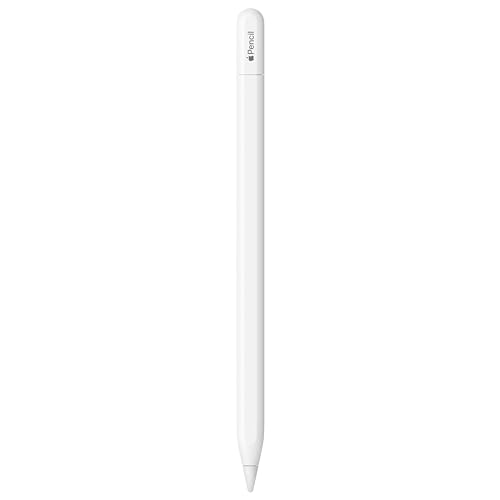 APPLE Apple Pencil (USB-C): Device Compatibility Check Required | Pixel-Perfect Precision,…
View on Amazon ↗
 HUION HUION Note Digital Notebook with Real-Time & Offline Sync, Battery-Free…
View on Amazon ↗
Listing names and images come from Amazon and are rechecked against the live listings; last checked Nov 8, 2026. No prices shown; the current price is on the listing.
How to read this guide. This guide covers the note taking app category, not any single app, and draws on general knowledge of how these tools work. No individual product documents, reviews, or in person tests were used, so verify any device limit, upload cap, or export format on the listing before you buy.