Start with battery capacity, supported network bands, and whether the device is carrier locked. Travelers who cross borders need unlocked devices with multiple bands; desk workers can prioritize battery and screen size. The main tradeoff is battery life against size and band coverage.
Battery Life Sets Your Day
Battery capacity in milliamp hours tells you how long the hotspot runs between charges. A larger number generally means more hours, but screen brightness and number of connected devices drain it faster.
Check the listing for estimated usage time under typical conditions, not standby time. A device that lasts 12 hours on a single device may drop to 6 hours with three laptops connected.
If you work from a cafe or train without outlets, prioritize battery over size. If you always sit near a wall plug, a smaller battery saves pocket space.
Bands Decide Where You Connect
A hotspot works on specific radio frequencies called bands. Different carriers and countries use different bands, so a device that works in one city may not connect in another.
Look for a list of supported LTE and 5G bands in the specifications. More bands usually mean better coverage across carriers and regions, but they can raise the price and drain battery faster.
If you travel internationally, compare the device bands against the bands used in your destination. A mismatch leaves you with a pocket sized paperweight.
Carrier Lock Changes Everything
Some hotspots are locked to one carrier and only accept that carrier's SIM card. Unlocked devices let you swap SIM cards from different providers, which is essential for traveling or switching plans.
An unlocked device gives you freedom to buy a local SIM card abroad, often cheaper than roaming. A locked device ties you to one carrier's coverage and prices.
Check the listing for the words unlocked or carrier locked. If it is locked, confirm the carrier matches the one you plan to use.
Compare the Main Design Types
Hotspots fall into a few practical categories. Pocket hotspots are small and battery powered, made for a bag or pocket. Travel routers add an Ethernet port and stronger Wi-Fi, useful in hotels.
USB stick hotspots plug into a laptop and draw power from it, so they never need charging but only serve that one device. Some phones can act as hotspots, but a dedicated device often handles more connections and saves your phone battery.
The table below lines up the tradeoffs for the three most common types. Use it to match a type to how you move through your day.
| Type | Battery life | Band support | Ports | Best for |
|---|---|---|---|---|
| Pocket hotspot | 8 to 24 hours | Moderate | USB-C only | Daily carry and travel |
| Travel router | 6 to 12 hours | Broad | Ethernet, USB | Hotel rooms and offices |
| USB stick | Uses laptop power | Limited | USB A or USB-C | Single laptop users |
A travel router often includes a SIM slot and can rebroadcast hotel Wi-Fi, which a pocket hotspot cannot. A USB stick is the cheapest option but offers no battery backup during a power cut.
Data Plans Shape the Real Cost
The device price is only part of the cost. A hotspot needs a data plan, and some plans throttle speed after a set amount of data. Check if the device requires a specific plan or works with prepaid SIM cards.
Pay attention to data caps, throttling thresholds, and whether the plan includes 5G. A hotspot with great hardware on a slow plan still feels slow.
For occasional use, a prepaid or pay as you go plan avoids a monthly bill. For daily remote work, an unlimited plan with no throttling before your usage level matters more.
Screen and Controls Matter More Than You Think
A small screen shows signal strength, battery level, and connected devices. Some hotspots have no screen at all, relying on an app or web page for settings.
With a screen, you can check status at a glance without opening your phone. It also helps you change the Wi-Fi password or see data usage without an app.
If you often troubleshoot connections, a screen saves time. If you set it once and forget it, an app only device is fine.
Skip the Hotspot If Your Phone Already Works
Many modern phones include a mobile hotspot feature that shares their cellular connection. If you only need occasional internet for one laptop, your phone may be enough and costs nothing extra.
A dedicated hotspot earns its place when you connect multiple devices, need longer battery than your phone can give, or want a separate data plan from your phone plan.
Consider alternatives like a dual SIM adapter for a second phone line if your main issue is carrying two numbers rather than sharing data.
Mistakes That Leave You Offline
Buying a hotspot without checking band support for your area is the most common error. A device that lacks your carrier's main bands will have slow or no data.
Another mistake is ignoring battery replacement. Some hotspots have sealed batteries that cannot be swapped, so after a few years the device becomes a desk ornament. Look for a removable battery if you plan to keep it long term.
Finally, do not assume every hotspot works with every SIM size. Check whether it takes a standard, micro, or nano SIM and whether an adapter is included.
Mobile Hotspot Questions, Answered Straight
Is a mobile hotspot device worth it?
It is worth it if you connect multiple devices away from Wi-Fi or need a separate data plan. For occasional single laptop use, your phone's hotspot feature may be enough and costs nothing extra.
Which mobile hotspot device should I buy?
Choose one with battery capacity that covers your longest day, bands that match your carrier and travel destinations, and an unlocked design if you plan to swap SIM cards.
What is the difference between a mobile hotspot and a phone hotspot?
A dedicated hotspot has a larger battery, supports more simultaneous devices, and often has better antennas. It also saves your phone's battery and can use a separate data plan.
Can I use any SIM card in a mobile hotspot device?
Only if the device is unlocked. Locked devices accept only one carrier's SIM. Check the listing for unlocked and confirm the SIM size matches.
How long does a mobile hotspot battery last?
Battery life ranges from about 6 to 24 hours depending on capacity, number of connected devices, and screen use. Check the listing for estimated usage time with typical connections.
Which Mobile Hotspot Fits Your Work and Travel
Someone who works from cafes and trains all day needs a pocket hotspot with at least a 5000 mAh battery and bands for their carrier. Pick that for daily carry. If you stay in hotels and want to rebroadcast wired internet, choose a travel router with an Ethernet port instead.
Real mobile hotspot device listings, so you can check the points in this guide against actual products. These are affiliate links: as an Amazon Associate we earn from qualifying purchases, at no extra cost to you.
 NETGEAR NETGEAR Nighthawk M7 5G Mobile Hotspot with eSIM, WiFi 7,…
View on Amazon ↗
 BEWINNER Unlocked 4G LTE Mobile WiFi Router with SIM Card Slot…
View on Amazon ↗
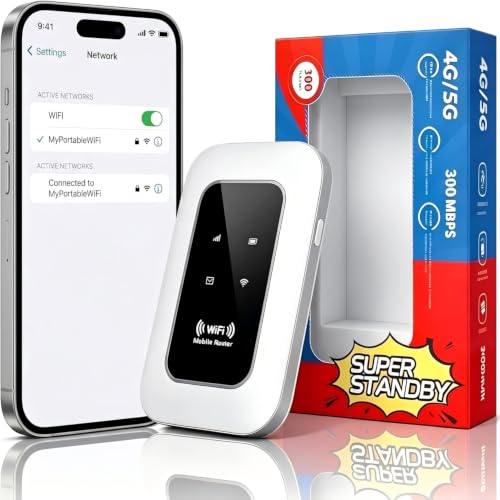 GENERIC Portable 4G/5G WiFi Hotspot, Unlocked Mobile WiFi Router with SIM…
View on Amazon ↗
Listing names and images come from Amazon and are rechecked against the live listings; last checked Nov 8, 2026. No prices shown; the current price is on the listing.
Scope and limits. This guide draws on general knowledge of how mobile hotspot devices work, their common designs, and the specifications that affect real world use. It cannot tell you whether a particular listing is unlocked, which bands it supports, or how long its battery lasts, so check those details on the product page before buying.