Start with your desk space and your aim style. Low sensitivity players who sweep the whole pad need a large, steady surface. High sensitivity players can use a smaller pad but still gain desk coverage. The main tradeoff is coverage versus control: a pad that swallows your desk may not stay flat on a cheap base.
Measure the Desk Before the Pad
A pad that overhangs the desk edge folds down and drags your forearm. Measure the clear surface between your keyboard and the desk lip. Then add the width of your keyboard if you want it on the pad too.
Check the listing dimensions as a range, not a promise. A pad listed as 36 inches may arrive 35 or 37 inches. Compare the stated size to your measured space and leave an inch of clearance on each side.
Desk depth matters more than length for many players. A deep pad moves your monitor and keyboard farther back. If your desk is shallow, a wide but shallow pad keeps your arm angle natural.
Base Grip Decides if the Pad Stays Put
A rubber base can grip or slide depending on its pattern and softness. Look for a textured underside, not a smooth sheet. Compare specifications for a natural rubber or polyurethane base rather than a thin foam layer.
Weight helps but does not replace grip. A heavy cloth pad can still drift on a glass or glossy desk. Check whether the listing mentions a non slip backing and whether your desk surface is smooth or textured.
A pad that moves even a few millimeters changes your aim. Flick shots push the pad outward, then you reset to a new position. The design makes this likely with a slick base on a slick desk.
| Pad style | Base grip need | Surface speed | Best for |
|---|---|---|---|
| Desk mat | High | Medium to slow | Full desk, low sensitivity |
| Extended pad | Medium to high | Medium | Wide sweeps, mixed use |
| Large square pad | Medium | Medium to fast | Focused aim, small desk |
| Standard pad | Low | Varies | High sensitivity, tight space |
A desk mat covers more area, so its base has to hold more friction. A standard pad needs less grip because your hand and arm add pressure.
Surface Speed Changes How You Aim
Cloth pads run from slow control to fast glide. A slow surface helps you stop on a head, but wide flicks feel heavy. A fast surface lets you turn quickly but makes micro adjustments twitchy.
Hard pads offer more speed and less give, but they wear mouse feet faster. Compare the surface material and weave density on the listing. A tight weave usually reads as faster and smoother.
Humidity changes cloth more than hard surfaces. A pad that feels fast in a dry room can turn sticky in summer. Think about your room climate before choosing a coated or uncoated cloth.
Stitch Edges Protect Your Wrist and Cable
A raised stitched edge can catch your wrist on long sweeps. Look for a low profile stitch or a heat sealed edge if you rest your forearm on the pad. The design makes this likely: thicker thread sits higher.
Stitching also stops the top layer from peeling. A pad without edge reinforcement may curl at the corners after months of use. Check the listing for edge type and whether the stitch height is mentioned.
A mouse cable can snag on a rough edge. If you use a wired mouse, a smooth edge matters more. A bungee helps, but a flat edge removes the snag point.
Keyboard Placement on a Desk Mat
Putting your keyboard on a desk mat deadens sound but changes its angle. The pad's foam adds height and softness under the keyboard. Some players like the cushion, others find the keyboard tilts.
A desk mat under your keyboard also means the pad wears in that spot first. Key oils and wrist pressure break down the weave. Expect a visible wear patch where your left hand rests.
If you use a keyboard tray, a desk mat may not fit under it. Measure the tray clearance before buying. A pad that bunches at the tray hinge will annoy you every time you slide it out.
Cleaning Keeps the Pad Consistent
Skin oil, dust, and snack crumbs fill the weave and change the glide. A pad that felt fast on day one can feel muddy after a month. Most cloth pads can be hand washed with mild soap and air dried flat.
Do not machine wash unless the listing says so. Agitation can tear the edge stitching or warp the base. Check the care label before you buy if you eat at your desk.
A hard pad wipes clean in seconds but shows scratches. A cloth pad hides wear but holds dirt. Think about how often you will actually clean it, not how easy the process sounds.
Who Should Skip a Large Pad
A small desk makes a large pad a liability. If your mouse area is under 12 inches wide, a standard pad fits better. Forcing a desk mat onto a crowded surface leaves it hanging off the edge.
High sensitivity players who aim with the wrist may not use the extra space. A large pad then only adds desk clutter. A smaller, faster pad can feel more precise for tiny wrist movements.
If you travel with your setup, a large pad is hard to pack. A rollable cloth pad works, but a thick desk mat does not fit in a backpack. Consider a lap desk with a cushion for couch or bed sessions instead.
Read the Listing Like a Skeptic
Ignore phrases like 'pro grade' or 'esports ready'. They describe a mood, not a material. Check the actual specs: base material, top fabric, edge type, and unrolled dimensions.
Ask the seller about the base if the listing is vague. A natural rubber base grips differently from a cheap PVC foam. You want to know whether the pad will slide on a glass desk.
Marketing photos show a flat pad on a clean desk. Your desk may have a seam, a monitor stand, or a laptop. Check whether the pad can lie flat around those obstacles.
Large Mouse Pad Questions, Answered
How big should a large gaming mouse pad be?
Measure your desk first. A pad should leave at least an inch of clearance on each side and not hang over the edge. For low sensitivity play, a width of 35 to 48 inches gives room for wide sweeps. For a small desk, a square pad around 16 by 16 inches may be large enough.
Is a desk mat better than a large mouse pad?
A desk mat covers the keyboard and mouse area, so it protects the desk and looks clean. It also needs a strong base grip and a desk with enough depth. A large mouse pad only covers the aim area and is easier to keep flat on a small or uneven desk.
What is the best base for a large mouse pad?
A textured natural rubber base usually grips better than smooth foam. It holds the pad in place during fast flicks, especially on a glass or glossy desk. Check the listing for the base material and look for a non slip pattern on the underside.
Can I wash a large gaming mouse pad?
Most cloth pads can be hand washed with mild soap and cold water, then air dried flat. Do not machine wash or wring the pad unless the listing says so. Hard pads wipe clean with a damp cloth but may scratch over time.
Which surface speed should I choose for FPS games?
A slow control surface helps you stop precisely on a target, which suits tactical shooters. A fast surface helps you turn quickly in quick games. Many players pick a medium speed pad and adjust their mouse sensitivity to match.
Which Large Pad Fits Your Desk and Aim
A player who sweeps the whole desk with low sensitivity should start with an extended cloth pad around 36 by 16 inches. Pick a textured rubber base and a low stitch edge. A high sensitivity player on a small desk needs a different pick: a square cloth pad under 18 inches wide with a fast surface keeps the aim tight. For a desk that holds a keyboard and laptop, a desk mat with strong base grip wins. For a couch setup, skip the pad and look at a gaming comfort guide instead.
Real large gaming mouse pad listings, so you can check the points in this guide against actual products. These are affiliate links: as an Amazon Associate we earn from qualifying purchases, at no extra cost to you.
 AREYLO Large Gaming Mouse Pad, Waterproof Extra Large Mousepad with Stitched…
View on Amazon ↗
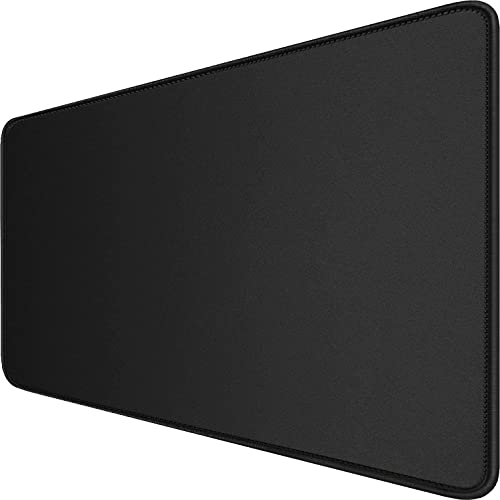 HSMIENK Large Extended Gaming Mouse Pad with Stitched Edges (31.5X15.7In) Mousepad…
View on Amazon ↗
 LIFETRIM LifeTrim Huge 46”x17” 5mm Gaming Mouse Pad Large Mouse Pad…
View on Amazon ↗
Listing names and images come from Amazon and are rechecked against the live listings; last checked Nov 8, 2026. No prices shown; the current price is on the listing.
How to read this guide. This guide explains how to choose a large gaming mouse pad as a category, not which model to buy. It is written from general knowledge of pad materials and design, without consulting product documents, owner reviews, or in person tests. Check the listing dimensions and base material before you purchase.