Start with the stylus tip and whether the tablet screen accepts it. Most Fire tablets have capacitive touchscreens, so any soft tipped stylus works, but precision and palm rejection depend on the tablet model. Then match the barrel size to the hand: a thicker grip helps toddlers, a slim barrel suits note taking. The main tradeoff is accuracy versus durability: fine tips track better but wear faster on rough screens.
Tip Material Sets the Feel
A Fire tablet screen is capacitive, so a stylus works by touching it like a finger. Rubber tips are the cheapest and most common. They are quiet and safe for kids, but they drag on glass and can skip during quick strokes.
Mesh tips use a woven fabric cover over a rubber core. They glide more smoothly and feel closer to a pencil on paper. The tradeoff is wear: mesh frays if used on a matte screen protector or with heavy pressure.
Fiber tips are stiffer and hold their shape longer. They give more control for handwriting and small buttons. Some fiber tips are replaceable, which matters if the stylus is used every day in a classroom.
A disc tip is a clear plastic circle on a small post. It offers the most precise contact point for drawing, but it makes a faint clicking sound and can catch on screen edges. Most Fire tablet users do not need a disc tip unless they draw small details.
Barrel Size and Grip Are the Hidden Decision
A stylus is held for a long time, so the barrel diameter matters more than the tip. A thin barrel under 8 millimeters works for short taps and adult hands that prefer a pen like feel. But it can cause cramping during a long note taking session.
A wide barrel, often 10 to 12 millimeters, is easier for toddlers and young children to hold. Some styluses are shaped like chunky crayons for this reason. Shared family tablets do best with a mid size barrel that works for both kids and adults.
Look at the grip surface. Smooth metal or hard plastic can slip in a sweaty hand. A soft touch coating or silicone sleeve adds friction. A stylus that rolls off a kitchen counter is a common annoyance, so a flat side or a pocket clip can prevent that.
- Slim barrels suit quick taps and adult note takers.
- Chunky barrels suit toddlers and long drawing sessions.
- A clip or flat edge stops the stylus rolling away.
Active Versus Passive Styluses
Most Fire tablet styluses are passive: they have no battery and work like a finger. You can use them on any capacitive screen, including phones and other tablets. They cost less and need no charging.
Active styluses have a battery and send a signal to the screen. They offer pressure sensitivity and palm rejection, but only on Fire tablets that support them. Check the tablet model before buying: older Fire HD tablets do not support active pens.
For a child drawing on a Fire 7, a passive stylus is enough. For an adult who wants to rest a hand on the screen while writing, an active stylus on a compatible Fire Max 11 is the only option that prevents stray marks.
Some sellers call a passive stylus 'active' because it has a metal tip. Ignore that word and check whether the stylus has a battery. No battery means no pressure sensitivity and no palm rejection, no matter what the listing says.
Reading a Listing Before You Buy
Check the tip diameter. A tip under 2 millimeters is precise for handwriting, but a tip over 4 millimeters is easier for a toddler to tap with. The listing often shows the tip size in a product photo next to a coin.
Look for the barrel material and grip. Avoid listings that only say 'premium material' without naming it. Aluminum barrels are light but can be slippery. Silicone barrels attract lint but are easy to grip.
Ask the seller about tip replacements. Some styluses come with spare tips, others do not. If you plan to use the stylus daily for school, a replaceable tip saves money over a whole new stylus.
Check the length. A stylus under 100 millimeters is easy to lose in a bag. A stylus over 140 millimeters can feel top heavy for a child. The right length lets the stylus rest in the curve between thumb and index finger.
Table to Match Use to Tip and Barrel
| Use | Best tip | Barrel feel | Watch out for |
|---|---|---|---|
| Toddlers drawing | Rubber or mesh | Chunky, soft grip | Tip can be chewed off |
| Home schooling notes | Fiber | Slim, pen like | Palm rejection not supported |
| Shared family use | Mesh | Mid size, clip | Tips fray on matte protectors |
| Long flights | Rubber | Light, slim | Small tip can get lost in seat |
Home schooling note takers often press hard, which wears a mesh tip quickly. A fiber tip survives that pressure and gives straighter lines.
On flights, a stylus without a clip slides down between the seat and the tray table. A stylus with a lanyard hole can be tied to the tablet case.
Care and Long Term Costs
A passive stylus needs almost no care. Wipe the tip with a dry cloth if it picks up oil from fingers. Do not use alcohol wipes on rubber tips, as that dries the rubber and causes cracking.
The main long term cost is tip replacement. A mesh tip used daily on a matte screen protector can wear out in a few months. A rubber tip on a clean glass screen can last over a year.
If the stylus has a replaceable tip, store spare tips in a small case. Losing a spare tip is common, and buying a single replacement tip can cost as much as a third of a new stylus.
For a shared family tablet, buy two styluses at once. One gets lost, chewed, or left in a car seat. A second stylus means the drawing or school lesson does not stop.
Mistakes That Lead to a Drawer Stylus
Buying the thinnest stylus for precision and then handing it to a toddler. The child cannot grip it and drops it constantly. A chunky silicone stylus serves that hand better.
Expecting palm rejection from a passive stylus. Only an active stylus with a battery and a compatible Fire tablet can ignore a resting palm. Without it, writing looks like a smear of stray lines.
Ignoring the screen protector. A glass protector works with any stylus tip. A matte paper feel protector adds texture but wears out mesh and fiber tips faster. Choose the protector and the stylus as a pair.
Buying a stylus with a disc tip for a child. The disc catches on the screen edge and pops off. A child then presses the bare post onto the glass, which can scratch it.
Skip the Stylus or Choose an Alternative
If the Fire tablet is used only for watching videos, a stylus adds nothing. A finger works fine for tapping play and pause. Spend that money on a tablet stand or a better case instead.
If the user wants to draw with pressure sensitivity and tilt, a passive stylus will disappoint. That person needs a Fire Max 11 with an active pen, or a different tablet with a dedicated drawing pen.
For kitchen counter use, consider a finger touch screen pen with a long handle. A stylus that lets you tap without touching the screen keeps flour and water off the glass.
For toddlers who chew on everything, a stylus is a choking hazard if the tip comes off. Look for a one piece silicone stylus with no removable parts, or skip the stylus until the child stops mouthing objects.
Fire Tablet Stylus Questions Before You Buy
Is a Fire tablet stylus worth it?
For drawing, note taking, or precise tapping, yes. A stylus keeps the screen cleaner and gives more control than a finger. For video watching or casual browsing, no: a finger works fine and costs nothing.
What is the difference between an active and passive stylus for Fire tablets?
A passive stylus has no battery and works on any capacitive screen like a finger. An active stylus has a battery and can offer pressure sensitivity and palm rejection, but only on Fire tablets that support active pen input. Check your tablet model first.
Which Fire tablet supports palm rejection?
Palm rejection requires an active stylus and a Fire tablet that supports active pen technology. The Fire Max 11 is the main model with this feature. Older Fire HD and Fire 7 tablets do not support palm rejection with any stylus.
Can I use a stylus on a Fire tablet with a screen protector?
Yes. Glass screen protectors work with all stylus tips. Matte or paper feel protectors add texture for a pencil like feel, but they wear out mesh and fiber tips faster. A rubber tip lasts longest on any protector.
What should I look for in a stylus for a toddler?
Look for a one piece silicone or rubber stylus with no small removable parts. A chunky barrel around 10 to 12 millimeters is easier for small hands. Avoid disc tips and thin metal barrels that can be chewed or swallowed.
Which Fire Tablet Stylus Fits Your Hand
Someone who takes notes or does schoolwork on a Fire tablet should pick a fiber tip stylus with a slim barrel and a replaceable tip. It gives enough control for handwriting and lasts through daily use. For a household where a toddler shares the tablet, switch to a chunky silicone or rubber tip stylus with no removable parts. That one survives drops and chewing, and it is easy for small hands to hold. A family with both uses should buy one of each rather than trying to make one stylus fit everyone.
Real fire tablet stylus listings, so you can check the points in this guide against actual products. These are affiliate links: as an Amazon Associate we earn from qualifying purchases, at no extra cost to you.
 SEDRONIX Stylus Pen 2IN1 for AMZ Fire Max 11/Fire HD 10…
View on Amazon ↗
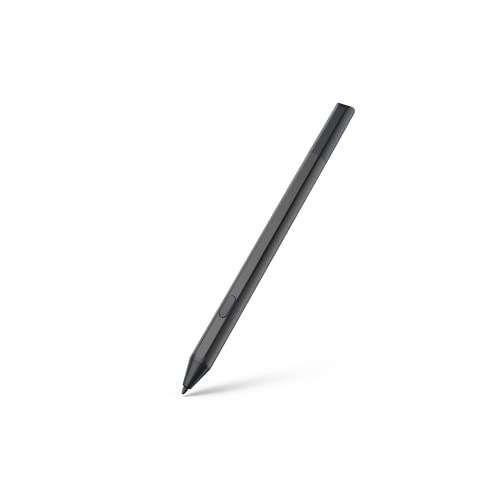 MAXEYE Made for Amazon Stylus Pen for Fire Max 11 (2023…
View on Amazon ↗
 RKITE 3 in 1 AMZ Tablet Pen for Fire Max 11…
View on Amazon ↗
Listing names and images come from Amazon and are rechecked against the live listings; last checked Nov 8, 2026. No prices shown; the current price is on the listing.
Scope and limits. This guide covers the category of Fire tablet styluses as a whole, not any individual model. It is written from general knowledge of how these styluses work with Fire tablet screens. Check the listing dimensions and tip type for any specific stylus before buying.