Two factors decide most Fire tablet screen protector choices: how the tablet gets handled and where it gets used. A glass protector gives the clearest view and smoothest touch, while a film protector resists shattering but shows more scratches. Buyers with toddlers or shared family use should prioritize edge coverage and impact absorption over thinness. The main tradeoff is between display clarity and impact protection.
What the Material Decides First
Fire tablet screen protectors come in three main materials: tempered glass, PET film, and TPU film. Tempered glass feels closest to the bare screen and resists scratches well. On a hard drop, the glass layer can crack instead of the tablet screen, which is the point. PET film is thinner and cheaper, but it scratches more easily and can show a slight ripple under direct light.
TPU film is the flexible option. It absorbs impacts without cracking, which matters when a toddler throws the tablet across a room. The tradeoff is a softer surface that can feel slightly sticky to a finger and may show indentations. Some protectors layer glass over a shock absorbing film, which tries to split the difference.
For a Fire tablet that lives in a kitchen or gets shared by adults, tempered glass often makes the most sense. For a tablet handed to a two year old, TPU or a hybrid film tends to survive longer. Check the listing for material type, not just the word "screen protector," because some listings use vague terms like "9H hardness" that can describe film coatings as well as glass.
Fit Is About the Bezel, Not the Screen
A protector that covers the entire glass front can lift if the tablet sits in a case. Most Fire tablet cases wrap around the edges, so a protector that goes edge to edge will get pushed up at the corners. Look for a listing that says "case friendly" or check the stated dimensions against the tablet's viewable screen area, not the full front panel.
The Fire tablet screen is not perfectly flat on every model. Some have a slight curve at the edges, which means a rigid glass protector can leave a visible air gap around the border. Film protectors conform to slight curves more easily. If the listing mentions a specific Fire tablet model and generation, that fit is more likely to be accurate than a generic "fits all Fire tablets" claim.
Also check the cutouts. The front camera and any sensors need to stay uncovered. A protector with a misaligned camera hole will blur selfies or video calls. Some protectors skip the hole and use a clear area instead, which avoids alignment problems but can collect dust around the camera lens.
How to Read a Listing Before You Buy
Start with the model compatibility line. Fire tablet generations change dimensions, so a protector for a Fire HD 8 from one year may not fit the next. The listing should name the specific model, not just "Fire 8." If it does not, ask the seller before ordering.
Next, look for the installation kit. A protector that ships with a cleaning wipe, dust removal sticker, and a squeegee or alignment frame is easier to install without bubbles. A protector sold alone assumes you have those tools. The alignment frame matters most for glass protectors, which cannot be repositioned easily once they touch the screen.
Check the thickness and hardness claims together. A 9H hardness rating is common for tempered glass, but it says little about impact resistance. Thickness matters more: a 0.3 mm glass protector is less likely to crack on impact than a 0.2 mm one, but it adds a slight step at the edge. For film protectors, thickness affects how visible the protector is after installation.
Finally, verify the oleophobic coating claim if fingerprints bother you. A coated protector resists skin oils and wipes clean with a dry cloth. An uncoated one smudges quickly, which is noticeable on a tablet used for cooking videos or shared by kids with sticky hands. The listing may say "anti fingerprint" or "oleophobic," but only a coated surface will actually reduce smudges.
| Material | Impact behavior | Scratch resistance | Touch feel | Suits |
|---|---|---|---|---|
| Tempered glass | Cracks on hard drops | High | Smooth, like bare screen | Adults, clean environments |
| PET film | Does not crack, tears under force | Low | Slightly plastic | Light use, budget buyers |
| TPU film | Absorbs drops, self heals small marks | Medium | Soft, slight drag | Toddlers, shared family tablets |
| Glass plus film | Glass cracks, film underneath holds pieces | High | Smooth with slight cushion | Mixed use, travel |
Installation Mistakes That Ruin a Protector
The most common mistake is installing a protector in a dusty room. Any dust speck under a glass protector creates a permanent bubble. Install in a bathroom after running a hot shower, because the steam settles the dust. Or use the dust removal stickers that come with most kits.
Another mistake is pressing a glass protector down to fix a bubble. That can crack the glass or spread the adhesive unevenly. Instead, lift the nearest corner with a fingernail and let the bubble release, then lay the protector back down slowly. For film protectors, use a credit card wrapped in the included cloth to push bubbles toward the edge.
Do not install a protector on a tablet that was just wiped with a wet cloth. The screen must be completely dry, or the adhesive will not bond at the edges. Wait a few minutes after cleaning. Also, remove any case before installation, because a case lip will block the protector from sitting flat.
What Actually Matters and What Is Marketing
Some features on screen protector listings sound important but change little. "Anti blue light" coatings may reduce eye strain slightly, but they also shift the screen color toward yellow. On a Fire tablet used for kids' videos or reading, that color shift is more noticeable than the blue light benefit.
"Privacy filter" is a real feature that narrows the viewing angle, but it also dims the screen and makes the touch surface feel different. For a family tablet passed around the living room, a privacy filter creates more problems than it solves. Skip it unless the tablet is used for sensitive work in public.
What does matter: the oleophobic coating, the alignment frame, and the edge design. A protector with rounded edges is less likely to chip at the corners. A protector with a slight bevel at the edge feels smoother when swiping from the side. These details appear in the listing photos, so compare the edge profile before buying.
For long flights and travel, a protector that resists glare helps more than one that resists blue light. Matte film protectors diffuse reflections, which makes the screen readable under airplane cabin lights. The tradeoff is a slightly grainy look on bright solid colors. If the tablet is mostly for video, a glossy protector keeps the picture sharper.
Who Should Skip a Screen Protector
If the Fire tablet stays in a folio case with a cover that closes over the screen, a protector adds little. The cover already shields the glass from scratches and impacts when the tablet is not in use. The main risk is a drop while the cover is open, which is less common for adult users who hold the tablet with two hands.
Buyers who use the tablet only for occasional reading or video at home can also skip the protector. The Fire tablet screen is reasonably scratch resistant on its own. A protector becomes necessary when the tablet is handed to kids, used in a kitchen where it can get splashed, or thrown into a bag for travel.
An alternative is a tempered glass protector only on the camera lens area, but that is rarely sold for Fire tablets. Most buyers either protect the whole screen or none. If the tablet is a household device that multiple people touch, a full protector is the simpler choice.
Long Term Care and Replacement
A screen protector is a consumable. Film protectors typically need replacing every six to twelve months as scratches build up. Glass protectors last longer, often one to two years, but they can chip at the edges from repeated case removal. Budget for at least one replacement if the tablet is used daily by kids.
Clean the protector with a dry microfiber cloth for daily smudges. For sticky residue, dampen the cloth slightly with water, never spray liquid directly on the screen. Avoid glass cleaners with ammonia, which can wear down the oleophobic coating over time. A protector with a worn coating feels grippier and shows fingerprints faster, which is a sign to replace it.
When removing a glass protector, lift from a corner slowly. The protector may crack during removal, which is normal. Do not use a metal tool to pry it off, because that can scratch the tablet screen underneath. Film protectors peel off more easily but can leave adhesive residue, which wipes away with a damp cloth.
Fire Tablet Screen Protector Questions, Answered
Is a Fire tablet screen protector worth it?
For a tablet used by kids or carried in a bag, yes. The protector absorbs scratches and impacts that would otherwise mark the actual screen. A cracked glass protector is cheap to replace compared to a tablet screen repair. For an adult who uses the tablet only at a desk with a folio case, a protector is optional.
Which Fire tablet screen protector fits my model?
Check the exact model name and generation on the tablet's Settings page, then match it to the listing. Fire HD 8, Fire HD 10, and Fire 7 have different screen dimensions, and generations within a model can change the camera position. A listing that names only the screen size without the generation is a risk.
Can I use a glass screen protector on a kids Fire tablet?
You can, but a glass protector may crack on the first hard drop. A TPU film protector absorbs impacts without shattering, which is safer for toddlers. If you prefer the clarity of glass, look for a hybrid protector that layers glass over a shock absorbing film.
How do I remove bubbles from a screen protector?
For small bubbles on film protectors, push them toward the nearest edge with a card wrapped in a soft cloth. For glass protectors, lift the nearest corner gently and let the bubble release, then smooth the protector back down. Do not press hard on a glass bubble, which can crack the protector.
Does a matte screen protector make the Fire tablet screen look worse?
A matte protector reduces glare, which helps outdoors and on flights, but it adds a slight grain to bright colors and text. For watching videos or reading comics, the tradeoff is visible. For reading text and browsing, the reduced reflections often feel like an improvement.
Which Fire Tablet Screen Protector to Pick
A household with toddlers or shared family use should pick a TPU film protector with a case friendly fit and an alignment frame. It absorbs drops without cracking and costs less to replace than glass. A different situation calls for tempered glass: an adult who uses the tablet for video or reading at a desk or in a kitchen, where clarity and easy cleaning matter more than impact survival.
Real fire tablet screen protector listings, so you can check the points in this guide against actual products. These are affiliate links: as an Amazon Associate we earn from qualifying purchases, at no extra cost to you.
 SUPERSHIELDZ Supershieldz (3 Pack) Anti Glare and Anti Fingerprint (Matte) Screen…
View on Amazon ↗
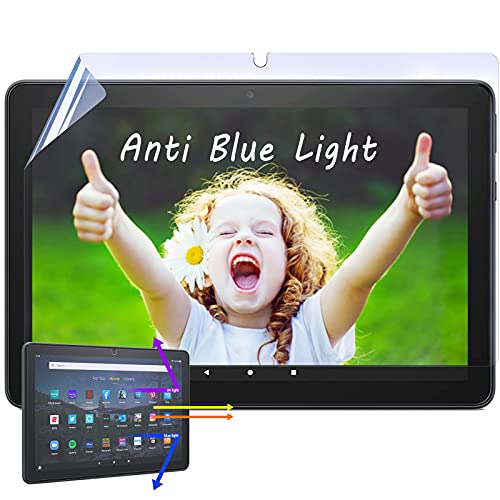 IPROKKO IPROKKO 2 Pack Anti-Blue Light Screen Protector for Fire HD…
View on Amazon ↗
 MAOMINI maomini [ 2 Pack] Tempered Glass Screen Protector for Kindle…
View on Amazon ↗
Listing names and images come from Amazon and are rechecked against the live listings; last checked Nov 8, 2026. No prices shown; the current price is on the listing.
How to read this guide. This guide is written from general knowledge of Fire tablet screen protectors and how the materials behave. It does not draw on any individual product documents, reviews, or in person testing, so verify the exact dimensions and model compatibility on the listing before you order.