Two decisions shape the choice: where you listen and how much control you want. If you stream on a phone with good data, an MP3 album is rarely worth buying. If you use older players, travel offline, or want files no service can remove, owned MP3 albums still make sense. The main tradeoff is convenience against permanence.
Streaming Already Covers Most Listening
A monthly subscription gives you most albums in seconds, with playlists and recommendations built in. If you listen on a current phone, tablet, or computer with reliable data or Wi-Fi, buying MP3 albums adds little. You are paying again for music you already have access to.
The strongest reason to skip MP3 albums is that streaming has removed most friction. Downloads, storage folders, and file transfers are now optional tasks. Unless a specific device or situation demands local files, the subscription is the simpler choice.
Where Owned Files Still Earn Their Place
An MP3 album makes sense when you use hardware that cannot stream. Older MP3 players, many car stereos, some gym machines, and basic USB speakers read files from storage. A streaming app is useless on those. Check what your device accepts before buying.
Offline travel is the second case. Flights, subways, rural drives, and international roaming make downloads unreliable. An owned album plays without a connection and without a data bill. If you go offline often, a small library of MP3 albums removes that worry.
The third case is permanence. Streaming catalogs change when licenses expire or labels pull titles. An MP3 file you download stays on your drive as long as you back it up. For music you cannot risk losing, ownership is the only guarantee. See how this compares to other digital music choices in our digital music collection guides.
Bitrate Decides What You Actually Hear
MP3 is a lossy format. It throws away audio data to shrink the file. The bitrate, measured in kilobits per second, sets how much data remains. A higher bitrate keeps more of the original recording and sounds closer to the CD or studio master.
A 320 kbps MP3 is the practical ceiling for the format and is hard to tell from a CD for most listeners on most gear. A 256 kbps file is a solid middle ground. Below 192 kbps, you may hear a duller high end or a slight haze on cymbals and acoustic instruments, especially through decent headphones.
The source matters as much as the number. An MP3 made from a low quality YouTube rip will sound worse than a 128 kbps file made from a clean master. Buy from stores that state the source or encode from lossless audio. If the listing does not name the bitrate, ask the seller before you pay.
Reading a Listing Before You Buy
Three items on the product page tell you most of what you need. Check the bitrate first: it should be stated as a number such as 256 kbps or 320 kbps. Check the format next: confirm the files are standard MP3, not a proprietary wrapper your player may reject. Check the delivery method last: a direct download link, a zip file, or a code that unlocks files on another site.
If any of those three items is missing or vague, ask the seller before buying. A vague listing often hides a low bitrate, a watermarked file, or a download link that expires. Legitimate sellers state these details plainly.
Also confirm the album version. Reissues, remasters, and deluxe editions may have different track lists or bonus material. The listing should name the release year and track count. If it does not, you may receive a different version than the one you expect.
Mistakes That Waste Money and Storage
The most common mistake is buying a low bitrate album to save a few cents. A 128 kbps file may be fine for a noisy car or a cheap speaker, but it will sound thin on good headphones. For most people, 256 or 320 kbps is worth the small extra cost.
Another mistake is ignoring file format details. Some albums labeled MP3 are actually variable bitrate, which is generally fine, but others are encoded with unusual settings that older players skip or stutter on. If your player is more than ten years old, a constant bitrate file is the safer choice.
A third mistake is not backing up the files. A download link can expire, a hard drive can fail, and a cloud account can close. Save a copy to a second location the day you buy. Music files are small enough that a backup costs almost nothing.
Finally, avoid buying an MP3 album for a song you already have on a streaming service, unless you need the file for a specific device or offline use. You are duplicating what you already rent.
What Matters and What Is Marketing
Bitrate is the feature that matters most. It directly changes sound quality. Format compatibility is second: MP3 works nearly everywhere, but check for odd wrappers. Ownership and delivery terms are third: a permanent download is worth more than a streaming only license.
Marketing language is often noise. Terms like high definition, remastered, or audiophile grade mean little without a stated bitrate. A remaster can sound cleaner or just louder. A high definition MP3 is a contradiction, since the format is lossy by design.
Bonus content is real but rarely essential. Liner notes, artwork, and bonus tracks add value for collectors, but if you only want the music, the base album is enough. Pay for extras only if you will actually use them.
File Management Is the Hidden Cost
Streaming has no files to manage. Owned MP3 albums do. You need a folder structure, a naming convention, and a backup routine. You also need a player app that reads local files and syncs them to your devices.
For a small library, this is a few minutes a month. For a large one, it becomes a hobby. If you dislike organizing files, the convenience of streaming will win. If you enjoy curating and tagging your own library, owned files feel like a feature, not a chore.
Long term costs are low. MP3 albums have no subscription and no consumables. Storage is cheap: a 320 kbps album uses roughly 100 to 150 megabytes. A basic free cloud account or a small USB drive holds dozens of albums. The real cost is your time.
Comparing Your Buying Options
The table below lays out the main ways to get an MP3 album. Each row is a design type, not a specific store or product. Use it to see which tradeoff fits your listening.
The columns name the attributes that change most between options. Cleanup effort here means the work to get files onto your devices and keep them organized. Sound ceiling is the best quality you can expect from that type.
| Delivery type | Typical bitrate | Cleanup effort | Sound ceiling | Suits |
|---|---|---|---|---|
| Direct download | 256 to 320 kbps | Low: download and copy | High for MP3 | Most buyers who want simple ownership |
| Zip archive | Varies, often 192 to 320 | Medium: unzip and organize | Depends on source | Album bundles or discographies |
| Store code | Usually 256 to 320 | Low: redeem and download | High for MP3 | Buyers who want a receipt and redownload |
| Fan made | Often 128 to 192 | High: untagged, uneven quality | Limited by source | Rare or out of print music only |
Direct downloads and store codes are the easiest to live with. Zip archives are fine but add an unzip step. Fan made files are a last resort for music you cannot buy anywhere else, since quality and tagging vary widely.
MP3 Album Questions Buyers Ask
What bitrate should an MP3 album be?
For most listening, 256 kbps is a good floor and 320 kbps is the practical ceiling. Below 192 kbps, you may hear a loss of sparkle on cymbals, strings, and room ambience, especially through decent headphones. If you listen mostly in a noisy car on basic speakers, even 128 kbps can be acceptable. The source recording matters as much as the number, so buy from stores that state the bitrate and encode from a clean master.
Can I tell the difference between MP3 and CD quality?
On typical earbuds or laptop speakers, most people cannot reliably tell a 320 kbps MP3 from a CD. On good headphones or a revealing home system, the difference may appear as a slightly flatter sense of space or a faint harshness on high frequencies. The gap grows below 192 kbps. If you want the best possible sound from owned files, choose a lossless format instead of MP3, but expect files several times larger.
How do I get MP3 albums onto an old MP3 player?
First check the player's manual for supported formats and bitrate limits. Older players often need constant bitrate files and may reject variable bitrate or files above a certain sample rate. Connect the player to a computer with USB, then copy the MP3 files into the player's music folder. If the player uses its own software, follow that software's transfer process. A standard USB cable and drag and drop works for most models made after 2005.
Is it legal to download MP3 albums from any site?
No. Only buy from stores that hold licenses from the rights holders. Legitimate stores state the label, publisher, or licensing terms and offer a receipt. Sites that offer current chart albums for far below the usual price are usually not licensed, and the files may be mislabeled, low quality, or carry malware. For out of print music, check whether the rights holder offers official downloads before turning to fan made copies.
Which is better for offline listening, MP3 or streaming downloads?
Both work offline once downloaded, but they differ in control. A streaming download plays only inside that app and may expire if you stop paying or if the service loses the license. An MP3 file plays in any compatible app and stays on your drive as long as you keep the file. If you want a permanent offline library on devices the streaming app does not support, MP3 is the better choice. If you just need music for a flight, a streaming download is simpler.
Which MP3 Album Route Fits You
Someone who owns an older MP3 player, a USB car stereo, or travels without data should buy a direct download at 256 or 320 kbps from a store that states the bitrate and offers permanent files. That gives clean sound, simple transfer, and real ownership. A collector chasing rare or out of print music may have to accept fan made files or a zip archive, where tagging and quality vary and extra cleanup time is the price of finding the album at all.
Real mp3 album listings, so you can check the points in this guide against actual products. These are affiliate links: as an Amazon Associate we earn from qualifying purchases, at no extra cost to you.
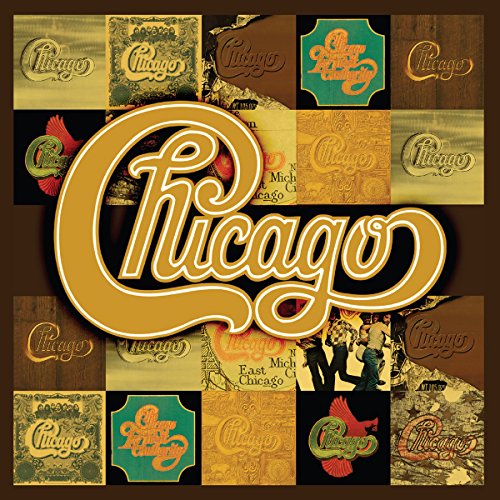 The Studio Albums 1969-1978 (Vol. 1)
View on Amazon ↗
 GENERIC NMIXX Fe3O4: FORWARD Shell Ver. Album, 4th EP with MP3…
View on Amazon ↗
 RHINO Original Album Series
View on Amazon ↗
Listing names and images come from Amazon and are rechecked against the live listings; last checked Nov 8, 2026. No prices shown; the current price is on the listing.
What this guide is. This guide covers the MP3 album as a product type, not any individual title, store, or seller. It is written from general knowledge of digital audio formats, and you should verify any bitrate, file type, or delivery term on the listing before buying.